More
Adjusting and changing the strap for the
Adjusting the strap
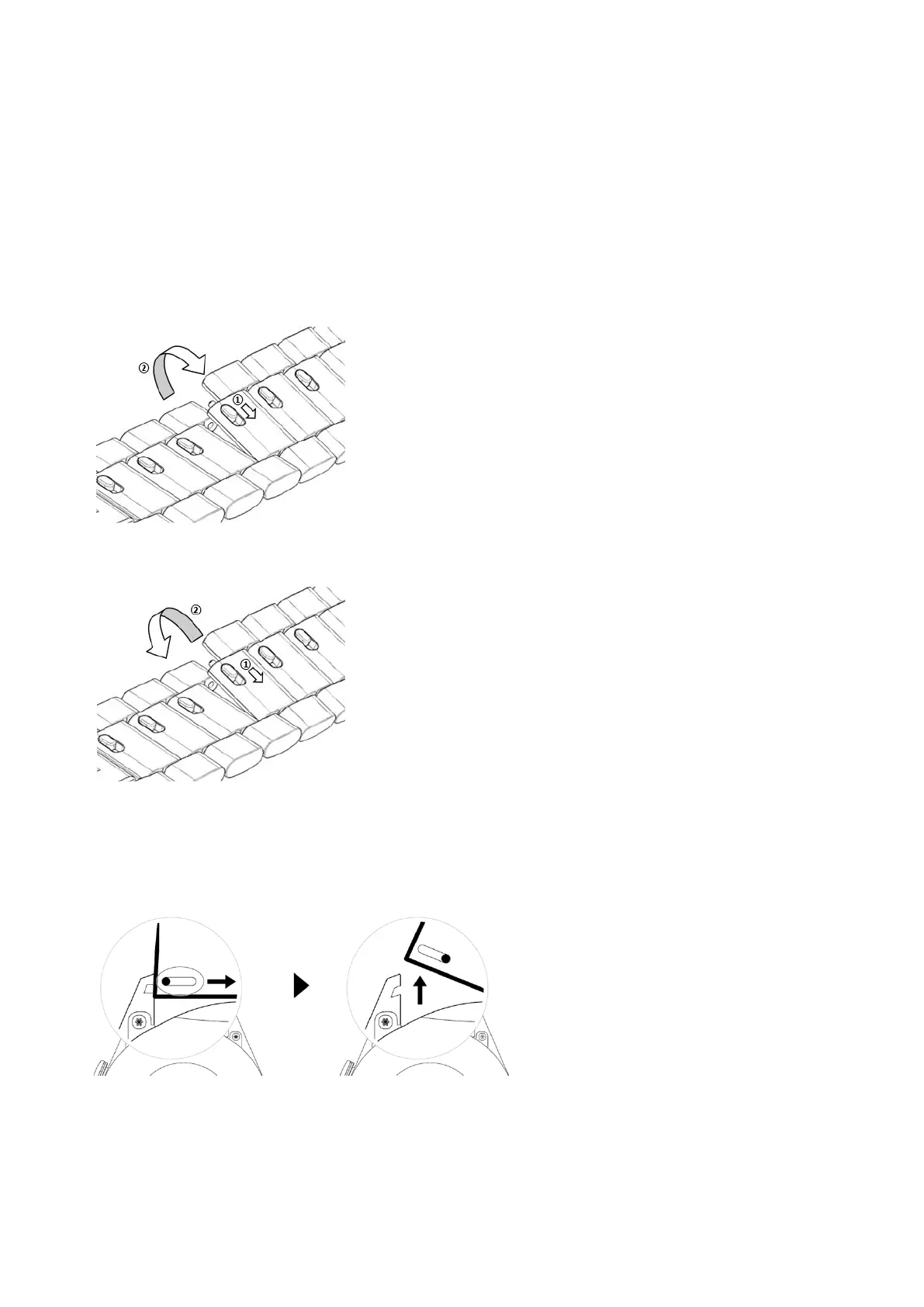
Three-bead metal strap
1 To remove the strap, push the lever in the direction indicated by arrow 1 and then remove
the chain in the direction indicated by arrow 2.
2 To install a strap, push the lever in the direction indicated by arrow 1 and then install the
chain in the direction indicated by arrow 2.
Changing the strap
• If you are using a non-metal strap, perform the following steps to remove it and install a
new strap in the reverse order.
• To remove and install a metal strap, perform the following steps:
• Removal:
• Watch case with one guide slot on a lug:
25















 To Next Page