2
No. Item Description
6 Hands-free key
y Make or answer a call without lifting the handset.
y Cancel the dialing, when dialing a number in the hands-free
mode.
y End the current call during a call in the hands-free mode.
7 Call/Redial key
y Make or answer a call.
y View the call history in standby mode.
8 # key
y Lock the keypad in standby mode (by pressing and holding it).
y Switch between different input modes in editing mode.
9
* key
y Activate/deactivate the quiet profile in standby mode (by
pressing and holding it).
y Access the symbol screen in editing mode.
10 Number keys
y Number keys from 0 to 9: Enter numbers and characters.
y Number keys from 1 to 9: Press and hold a key to speed dial a
phone number in standby mode.
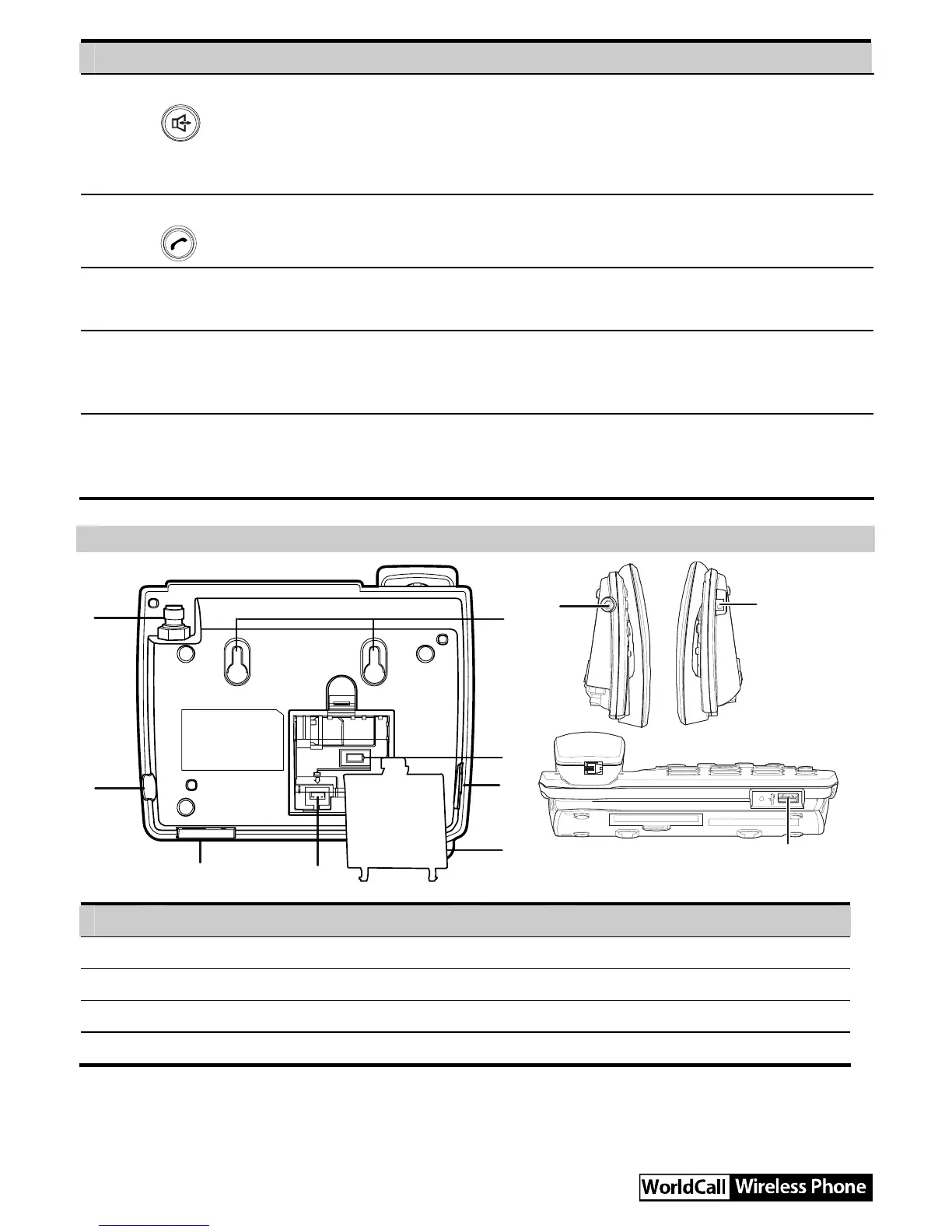
Back View and Side View
1
2
3
4
5
6
7
3
2
6
8
No. Item No. Item
1 Antenna jack 2 Power jack
3 USB port 4 Battery cord jack
5 Battery container cover 6 Coiled cord jack on main unit
7 Battery case 8 Wall-mounting brackets



 To Next Page