7
Note:
y During the recording of an incoming call, you can press Right soft key or pick up the
handset to answer the incoming call. Then the recording stops and the record is not
stored.
y Supports auto-delete function. When the storage is full, the earliest record is
automatically deleted.
Recorder On or Off
1. In standby mode, select Menu > Recorder > Recorder Settings > Recorder On/Off.
2. Press / to select On or Off.
3. Press Left soft key to save the setting.
Auto Answer
In standby mode, select Menu > Recorder > Recorder Settings > Auto Answer to set the duration
from the ringing of an incoming call to the start of automatic answering.
Recording Monitoring
During the recording of an incoming call, you can listen to the record and determine whether to
answer the call.
In standby mode, select Menu > Recorder > Recorder Settings > Recording Monitoring to enable
or disable this function.
Data Service
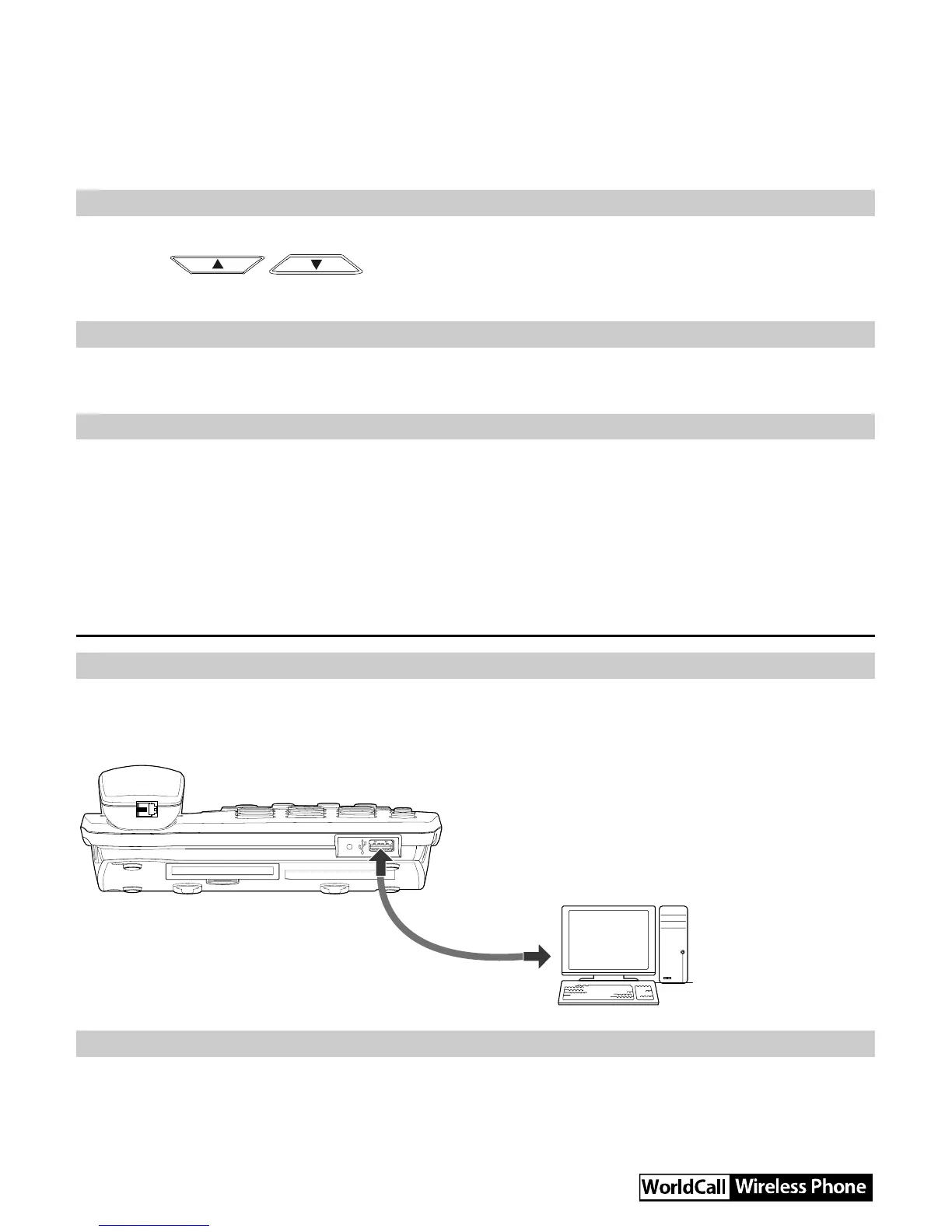
Connecting the FWT to a PC
The FWT can be connected to a PC to provide data services. Data services include Internet surfing
and faxing. To use data services, you need to purchase the data service suite and connect the FWT
to a PC as show in the following figure. For details, consult your local dealer.
Installing the Management Program
If you are using the data service for the first time, you need to install the FWT management program.
The steps of installing the FWT management program are as follows:
1. Connect the FWT to a PC with a compatible USB cable.



 To Next Page