1
Introduction
Note:
The figures of the FWT (Fixed Wireless Terminal) are only for your reference, please refer
color and shape to product.
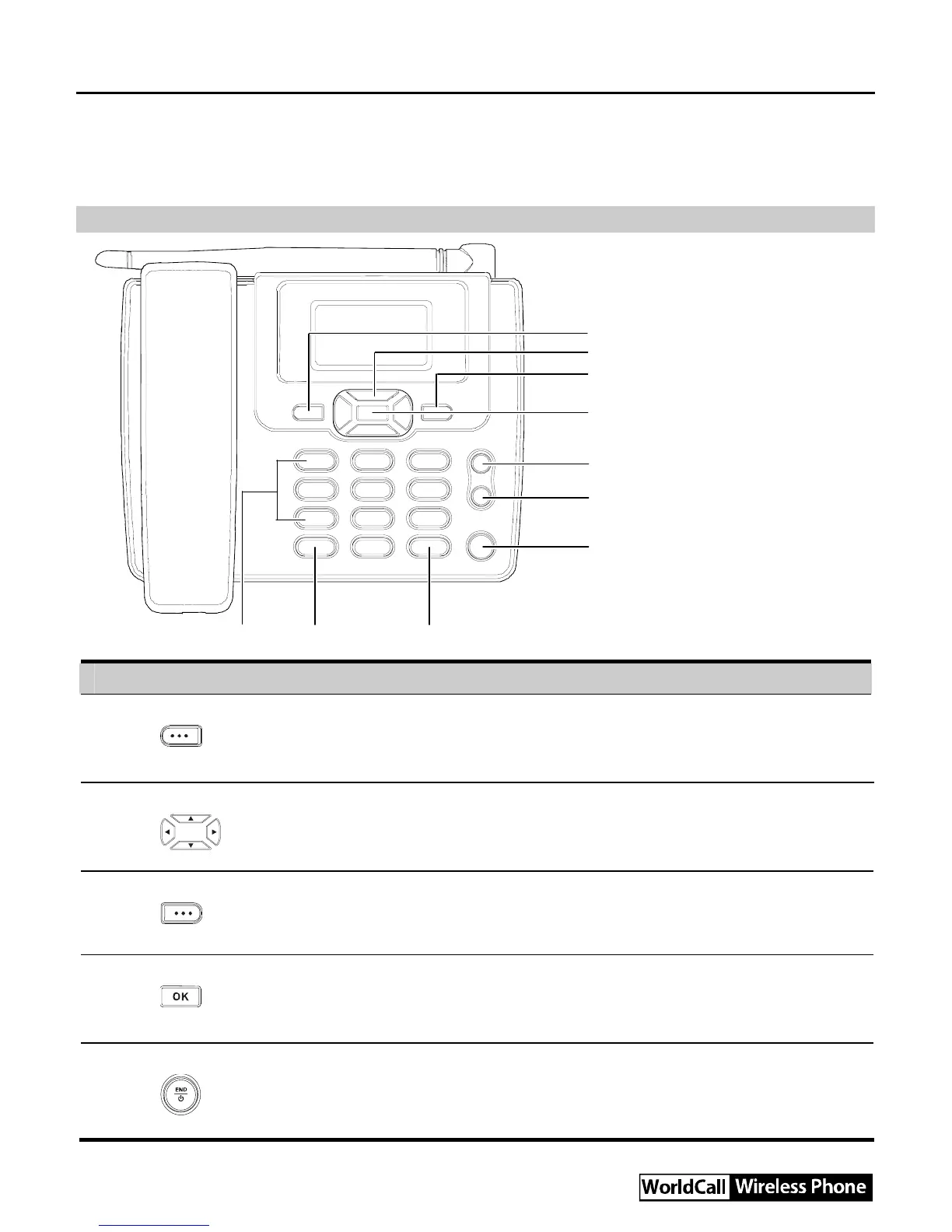
Front view
1
2
3
4
5
6
7
8910
No. Item Description
1 Left soft key
y Access the main menu in standby mode.
y Select the option displayed on the lower left corner of the
screen.
2 Scroll keys
y Access the shortcut screen in standby mode.
y Adjust the microphone and the earpiece volume during a call.
3 Right soft key
y Access the Phone Book screen in standby mode.
y Select the option displayed on the lower right corner of the
screen.
4 OK key
y Access the main menu in standby mode.
y Select the option displayed on the lower left corner of the
display screen.
5 End key
y End a call or reject an incoming call.
y Power on or off the FWT (by pressing and holding it).
y Return to the standby mode.



 To Next Page