
 Need help?
Do you have a question about the Hubble Nursery Pal Cloud Twin and is the answer not in the manual?
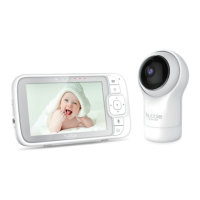
Identification and function of each button, display, and port on the parent unit.
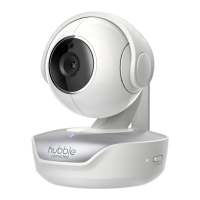
Identification and function of key components and features of the baby unit.
Critical safety warning regarding cord strangulation hazards for children.
Essential safety warnings and precautions for using the Wi-Fi camera unit.
Guide on how to connect the power adapter to the baby unit.
Guide on how to connect the power adapter to the parent unit.
Procedure for pairing the baby unit with the parent unit.
Instructions for optimal placement and positioning of the baby unit.
Steps for using the talk function to communicate with the baby.
Guide on how to change the volume level of the parent unit.
Instructions for setting the brightness of the parent unit's display.
Information on accessing and playing audio content like lullabies.
Guide on configuring alarm times and alerts.
Options for adding, viewing, and deleting cameras.
Detailed steps for connecting a new baby unit camera.
How to view multiple camera feeds on the parent unit screen.
Minimum device OS versions and internet speed needed for Wi-Fi viewing.
Connecting the camera to your Wi-Fi network and router.
Setting up the HubbleClub app and creating a user account.
Steps to power on the camera and establish initial Wi-Fi connection.
Guide to acquiring the necessary mobile application for setup.
Creating your user account using the HubbleClub app.
Steps to link the baby unit camera to your Hubble account.
Using QR codes to connect the camera to your Wi-Fi network and app.
 General
| Brand | Hubble |
|---|---|
| Model | Nursery Pal Cloud Twin |
| Category | Baby Monitor |
| Language | English |


 To Next Page