EasyManua.ls Logo

Hubble Nursery Pal Glow-W - User Manual

Default Icon
27 pages
Print Icon
To Next Page IconTo Next Page
Loading...
USER’S GUIDE
Nursery Pal Glow, Nursery Pal Glow-2, Nursery Pal Glow-3,
Nursery Pal Glow-4, Nursery Pal Glow-W, Nursery Pal Glow-W2,
Nursery Pal Glow-W3, Nursery Pal Glow-W4, Nursery Pal Glow-Twin,
Nursery Pal Glow-Triple, Nursery Pal Glow-Quad
The features described in this user’s guide are subject to modifications without prior notice.
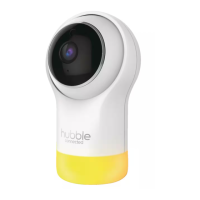
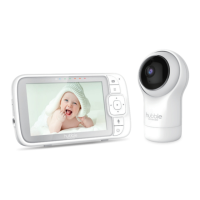
Smart HD Baby Monitor with Night Light
Question and Answer IconNeed help?

Do you have a question about the Hubble Nursery Pal Glow-W and is the answer not in the manual?

Summary

Safety Instructions

Getting Started

Connecting Power Supply

Connect the mains power to the Smart HD Baby Monitor and the other end to a suitable electrical outlet. Only use the enclosed adapter.

Wi-Fi Internet Viewing

Minimum System Requirements

Specifies system requirements for Android/iOS devices and internet speed for Wi-Fi viewing.

Connecting Devices

Explains connecting the camera, router, and Hubble service for viewing.

Setup Process

Connects Wi-Fi Camera to Power Adapter/router. Details LED status indicators for setup.

User Account & Camera Setup

Steps for creating a user account and setting up the camera on smart devices.

Camera Functions

Connecting Camera to Power

Connects power adapter to camera unit and explains LED indicators.

Hubble App Features Overview

Details Event History and Photo/Video features, including how to access video records and capture media.

Resetting the Camera

Device Disposal

Cleaning and Care

Troubleshooting & Help

General Information

Technical Specifications

Hubble Nursery Pal Glow-W Specifications

General IconGeneral
BrandHubble
ModelNursery Pal Glow-W
CategoryBaby Monitor
LanguageEnglish

Related product manuals