Chapter 2 • Pointing the antenna by using the DAPT2
1039429-0001 Revision D
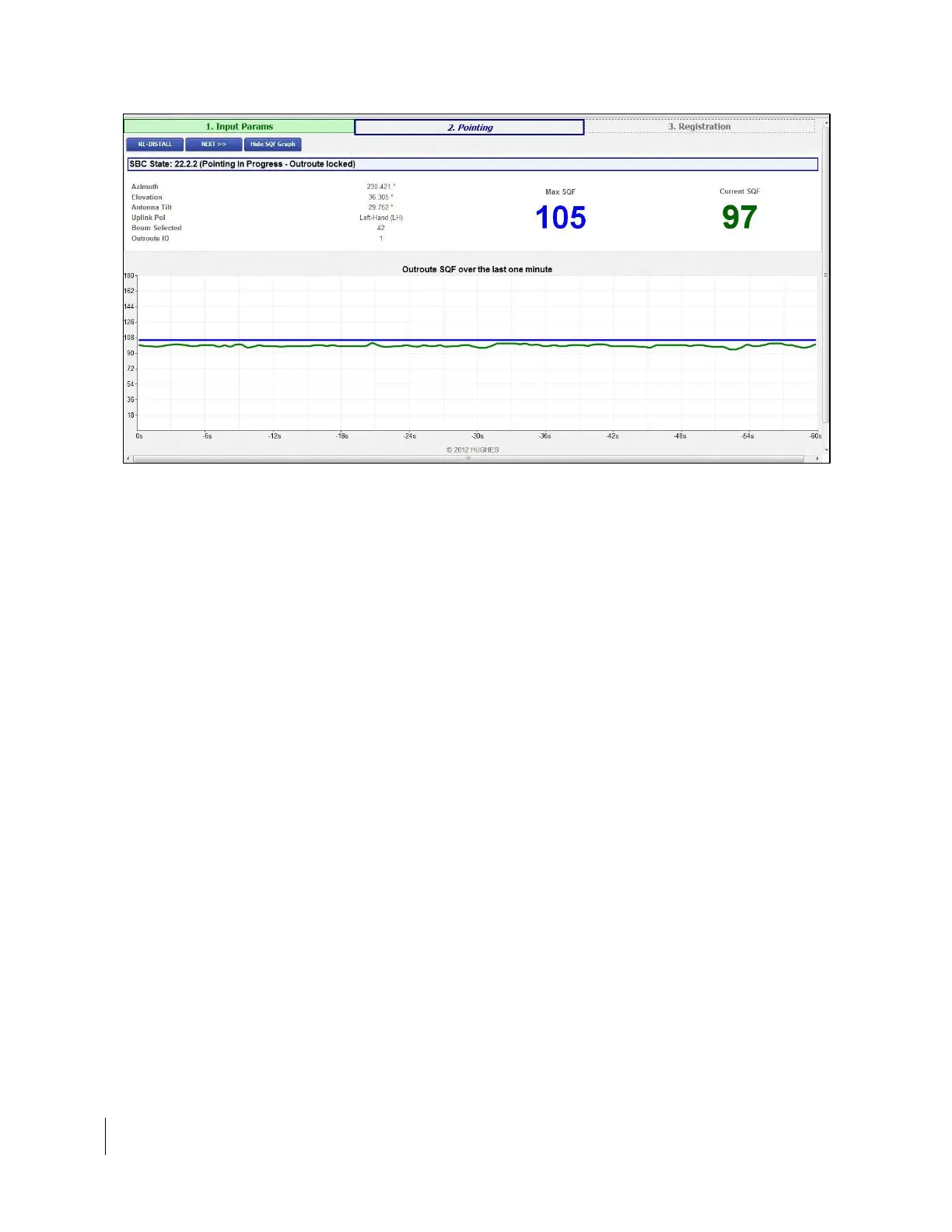
Figure 7: Pointing Info Screen
12. Make a note of the following values shown on this screen. You will need this
information to point the antenna and complete the installation.
• Azimuth
• Elevation
• Antenna tilt (0.74 m antennas only)
• ODU polarization setting (LHCP, RHCP, HLP, VLP)
Note: This is the true polarization setting. Ensure that the polarizer on
the radio matches this setting.



 To Next Page