Chapter 2 • Pointing the antenna by using the DAPT2
1039429-0001 Revision D
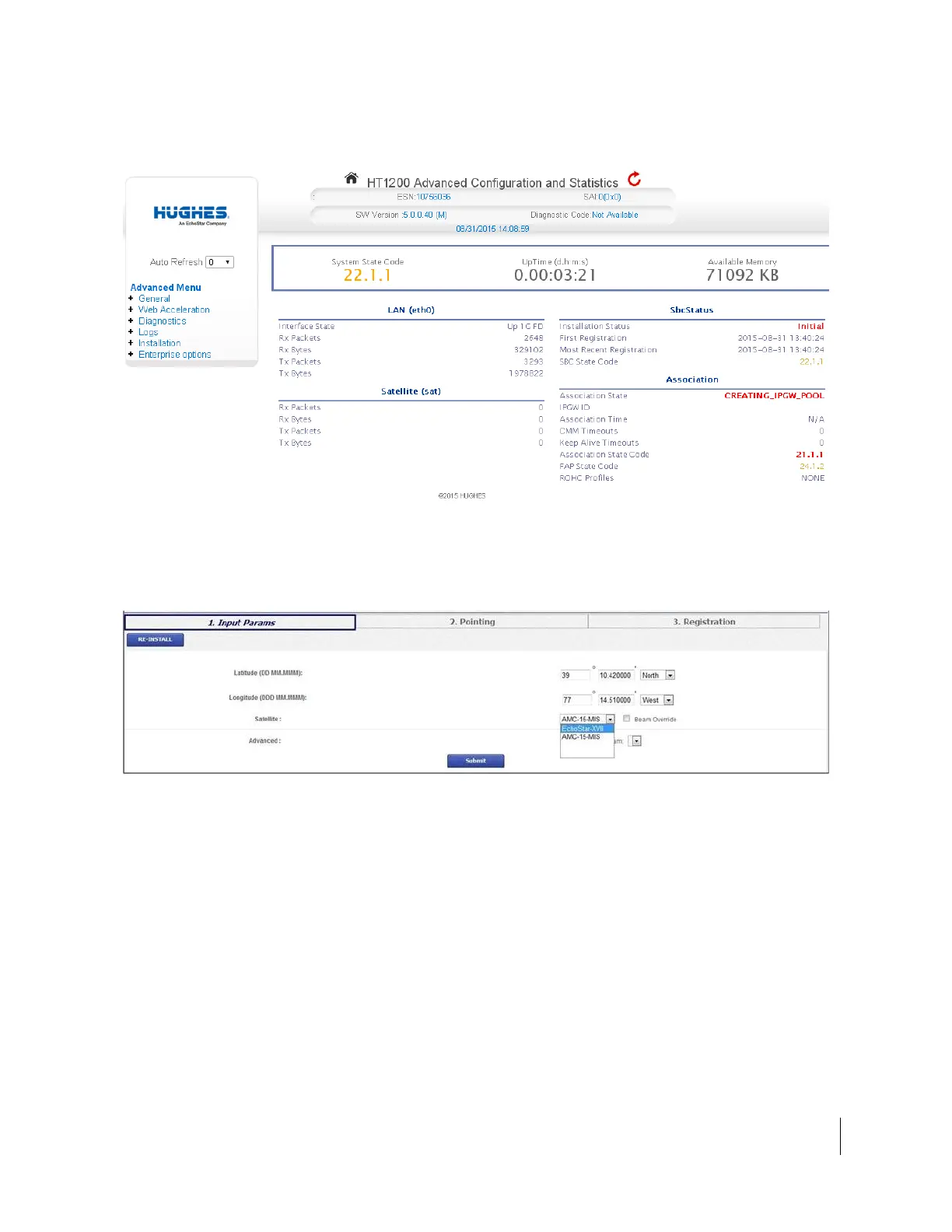
The Advanced Configuration and Statistics screen appears, as shown in
Figure 5.
Figure 5: Advanced Configuration and Statistics Installation screen
6. From the Advanced Menu (in the left panel), select Installation > Install.
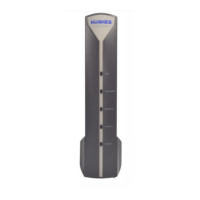
7. The HT1200 Terminal Installation screen shown in Figure 6 opens.
8. Enter the site latitude and longitude (obtained from your GPS).
Figure 6: Input parameters
9. Select EchoStar-XVII from the drop-down menu, as shown in Figure 6.
10. Click Submit. The satellite modem saves the information and enters pointing
mode.
11. The Pointing Info screen appears on the installer laptop, as shown in Figure 7
on page 16.
Note: If you modify any existing parameters, the modem reboots, and the
Terminal Pointing Info screen will appear following the reboot. To return to
the Input Parameters screen at any time, click Re-Install.



 To Next Page