Chapter 1 • Introduction
1039429-0001 Revision D
If you do not have a smart device with OASIS, you must connect your laptop to the
satellite modem and use a standard Internet browser (Internet Explorer version 8 or
higher, Mozilla Firefox 3.6 or higher, or Google Chrome version 17 or higher) to
navigate to the LUI. See Entering installation parameters with a wired laptop on
page 11 for more information.
Laptop connected to wireless router
If there is a wireless router present, the installer can use a laptop connected to the
router to perform the antenna pointing process. This is discussed in further detail in
Chapter 5 – Pointing the antenna by using a wireless device.
DiSEqC Antenna Pointing Tool (DAPT2 or DAPT3)
Note: The Pointing workflow in OASIS effectively replaces the DAPT units. If you
are using OASIS, you do not need to use a DAPT. See the OASIS User Guide
(1040630-0001).
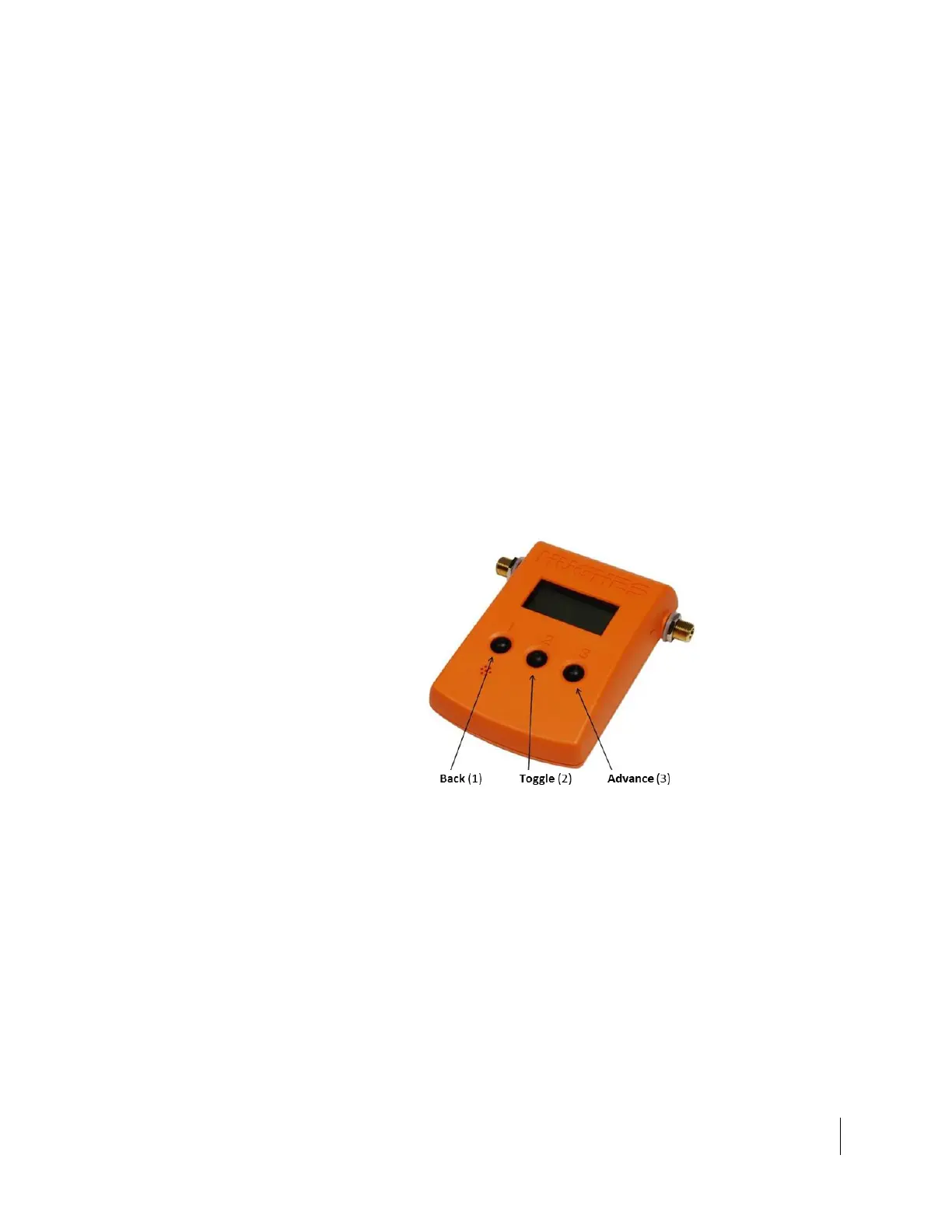
The DAPT2 and DAPT3 are known as two-way digital satellite equipment control
(DiSEqC) tools. They both have a large backlit display and three buttons that enable
the installer to step through the antenna pointing procedure. The DAPT2 is orange
in color and has a built-in audio feature to enhance the pointing process. Figure 1
shows the DAPT2. The DAPT2 is used to point the HT1200.
Figure 1: DAPT2 antenna pointing tool
The DAPT3 is yellow and is seen in Figure 2 on page 10. The DAPT3 is used to point
the HT1200 or the HT1300. The DAPT3 must be used for the HT1300.



 To Next Page