EasyManua.ls Logo

Hulkman Alpha 65 - User Manual

Hulkman Alpha 65
2 pages
Print Icon
To Next Page IconTo Next Page
Loading...
USER GUIDE
Model: Alpha 65
STEPS TO JUMP START YOUR VEHICLE
Insert the jumper cable into the jump
starter and connect the clamps to the car
battery.
’READY’’ sign shows on the screen. Start your car engine.
ABOUT THE FORCE START FUNCTION
Step 1
Why the screen shows nothing when you try to start your car ?
3 steps to fix your problem:
Step 2 Step 3
If the screen doesn’t display anything when you have correctly connected the clamps to your car, it means that your battery voltage is
extremely low, you can use the Force Start Function to enter boost mode.
1. Check the clamps connection and the product’s battery is above 20%.
2. Press the Power Button and Flashlight Button simultaneously for 2-3 seconds.
3. The screen shows “READY”, and go back to start engine ignition.
WARNING: WHEN USING THE FORCE START FUNCTION, AUTO-DETECTION AND SAFETY FEATURES WILL BE DISABLED.
ABOUT THE ERROR CODES
Error Code
SolutionReason
Reverse the clamps and ensure the correct connection.’+’’and ‘’-’’ poles of battery clamps reversed.
The voltage of the car battery is between 2-8V.
The product’s operating temperature is too high / low.
Jump start the battery more than 5 times within 10
minutes, the product will automatically enter the safe
mode.
Press the Power Button and Flashlight Button
simultaneously for 2-3s to start force output.
(Force Start Function)
Please store it back to where the temperature is
between 32°F to 113°F.
The safe mode will be off automatically after 10
minutes waiting. (Please do not turn off the product
during the process)
Charge the device at extremely low or high temperature.
Please charge the device at room temperature.
1200A 6.5L 4.0L
PEAK AMPS GAS DIESEL
12,000mAh
BATTERY CAPACITY
Question and Answer IconNeed help?

Do you have a question about the Hulkman Alpha 65 and is the answer not in the manual?

Summary

Steps to Jump Start Your Vehicle

Connect Jumper Cables

Insert jumper cables into the jump starter and connect clamps to the car battery.

Wait for READY Indicator

Wait for the "READY" sign to appear on the screen before proceeding.

Start Engine

Start your car engine once the "READY" indicator is displayed.

About the Force Start Function

Force Start Function Activation

Press Power and Flashlight buttons for 2-3s when screen is blank to enter boost mode.

Force Start Safety Warning

Auto-detection and safety features are disabled when using Force Start function.

About the Error Codes

Reverse Polarity Error

Error code for reversed battery clamps. Solution: Reverse the clamps.

Low Battery Voltage Error

Error when car battery voltage is 2-8V. Use Force Start function.

Temperature Warning

Product operating temperature too high/low. Charge at room temp.

Safe Mode Activation

Product enters safe mode after multiple rapid jump starts. Wait for auto-reset.

About USB-A Output Port

USB-A Output Usage

Plug cable into USB-A output, then press Power Button to activate.

About LED Flashlight

LED Flashlight Operation

Hold Flashlight Button to turn on/off. Press briefly to cycle modes.

Charging Your Alpha 65 Jump Starter

Fast Charging Capability

Fully charge in 45 mins with 65W recharge technology.

Charging Port Usage

Plug cable into USB-C output port to charge your device.

Included Charger Note

Box includes a 10W wall charger; 65W charger sold separately.

Overview

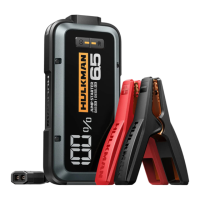
The Hulkman Alpha 65 is a versatile jump starter designed for vehicles, offering a range of functionalities beyond just starting a car.

Function Description

The primary function of the Alpha 65 is to jump start vehicles with dead batteries. It provides a quick and efficient solution for common battery issues. Beyond jump starting, it also serves as a portable power bank with a USB-A output port for charging electronic devices, and it integrates an LED flashlight for illumination in various situations. The device is equipped with a "Force Start Function" to address extremely low battery voltages, ensuring it can operate even when standard auto-detection features might fail.

Important Technical Specifications

  • Peak Amps: 1200A, indicating its powerful capability to deliver a strong current for jump starting.
  • Battery Capacity: 12,000mAh, providing substantial power for multiple jump starts and device charging.
  • Gas Engine Compatibility: Suitable for gas engines up to 6.5L.
  • Diesel Engine Compatibility: Suitable for diesel engines up to 4.0L.
  • Charging Technology: Features patented 65W recharge technology, allowing the device to be fully charged in just 45 minutes.
  • Operating Temperature Range: The device is designed to operate optimally within a temperature range of 32°F to 113°F.
  • USB-A Output: Provides power for charging external devices.
  • USB-C Input/Output: Used for charging the Alpha 65 itself and potentially for charging other devices.

Usage Features

Jump Starting a Vehicle:

  1. Connection: Insert the jumper cable into the jump starter and connect the clamps to the car battery, ensuring correct polarity.
  2. Readiness Indicator: The device screen will display "READY" once properly connected and ready to operate.
  3. Engine Start: Once "READY" is displayed, start the car engine.

Force Start Function: This feature is crucial when the car battery voltage is extremely low and the screen shows nothing despite correct clamp connection.

  1. Pre-check: Verify clamp connections and ensure the product's battery is above 20%.
  2. Activation: Press the Power Button and Flashlight Button simultaneously for 2-3 seconds.
  3. Confirmation: The screen will display "READY," indicating that boost mode is active, allowing you to proceed with engine ignition.
    • Warning: When using the Force Start Function, auto-detection and safety features are disabled.

USB-A Output Port:

  1. Connection: Plug the charging cable into the USB-A output port.
  2. Activation: Press the Power Button to initiate charging.

LED Flashlight:

  1. Activation: Hold the Flashlight Button for 1-2 seconds to turn it on.
  2. Mode Switching: Press the Flashlight Button briefly to cycle through different light modes:
    • 50% Lumen Light
    • 100% Lumen Light
    • White Strobe Light
    • White SOS Light

Charging the Alpha 65:

  • Method: Plug the cable into the USB-C input/output port to charge the device.
  • Charger: The product includes a 10W wall charger. A 65W wall charger, which enables the rapid 45-minute charge, can be purchased separately.

Maintenance Features

The Alpha 65 incorporates several error codes and corresponding solutions to guide users in troubleshooting and maintaining the device:

  • Error Code (Clamps Reversed): If the "+" and "-" poles of the battery clamps are reversed, the solution is to reverse the clamps and ensure the correct connection.
  • Error Code (Low Battery Voltage): If the car battery voltage is between 2-8V, indicating an extremely low charge, the solution is to use the Force Start Function by pressing the Power Button and Flashlight Button simultaneously for 2-3 seconds to initiate force output.
  • Error Code (Temperature Issues): If the product's operating temperature is too high or too low, or if the device is charged at extreme temperatures, the solution is to store it back where the temperature is between 32°F to 113°F and charge it at room temperature.
  • Error Code (Safe Mode): If the battery is jump-started more than 5 times within 10 minutes, the product automatically enters safe mode. The solution is to wait for 10 minutes, after which the safe mode will automatically turn off. It is important not to turn off the product during this waiting period.

These features ensure the Alpha 65 is not only powerful and easy to use but also provides clear guidance for troubleshooting and safe operation, extending its lifespan and reliability.

Hulkman Alpha 65 Specifications

General IconGeneral
BrandHulkman
ModelAlpha 65
CategoryRemote Starter
LanguageEnglish

Related product manuals