11
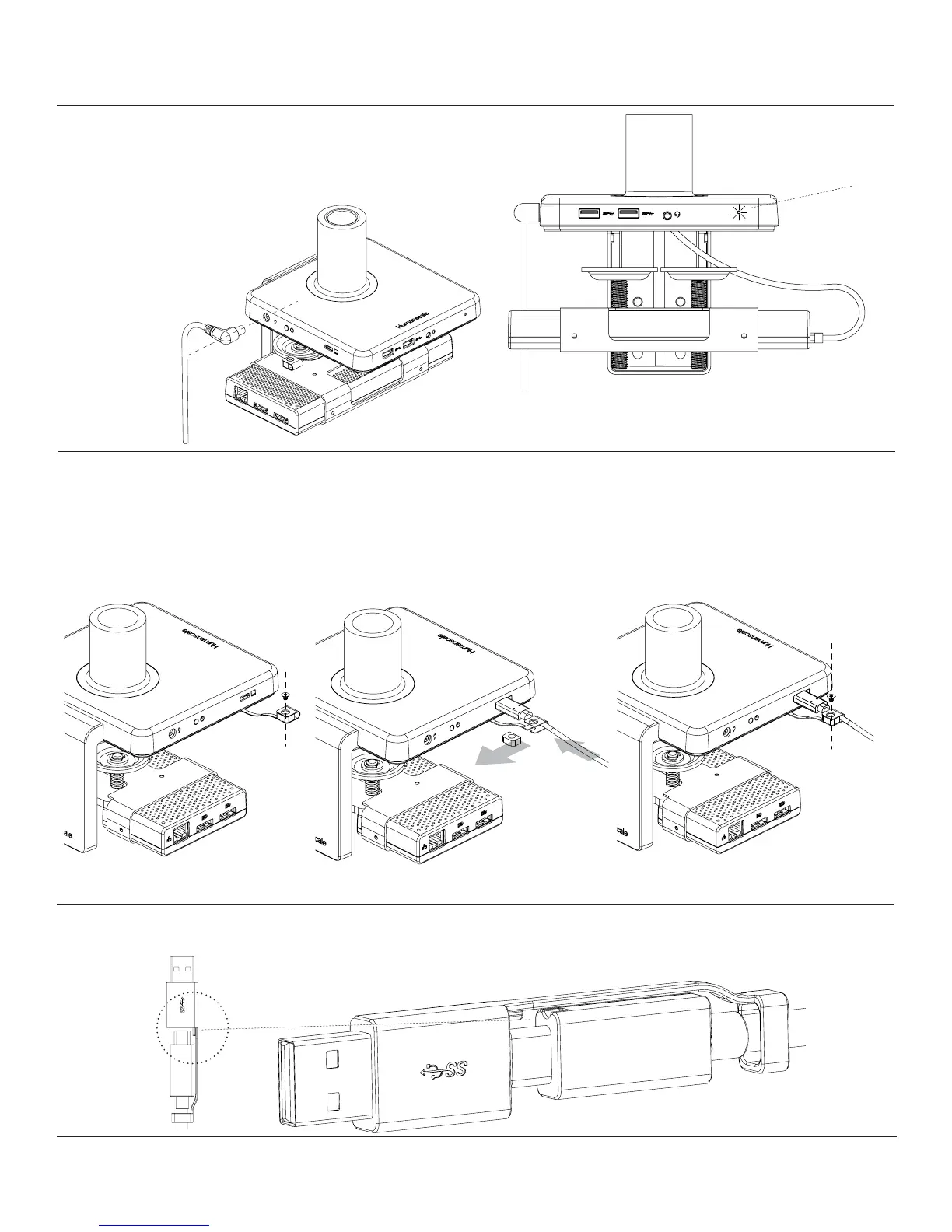
Connect upstream cable from source to hub
• Remove screw (g. P) from cable retaining clip
• Remove plastic insert (g. Q) from retaining clip and insert USB-C upstream cable
• Snap plastic insert back into retaining clip and secure with screw
Plug in power cable
• Insert power cable (g. N) into rearward power jack
• LED light (g. O) will illuminate to indicate power
CONNECTING CABLES TO M/CONNECT 2
O
N
P
Q
• When attaching USB - A-to-C adapter, make sure to align tabs on connector heads for proper function


 To Next Page