7
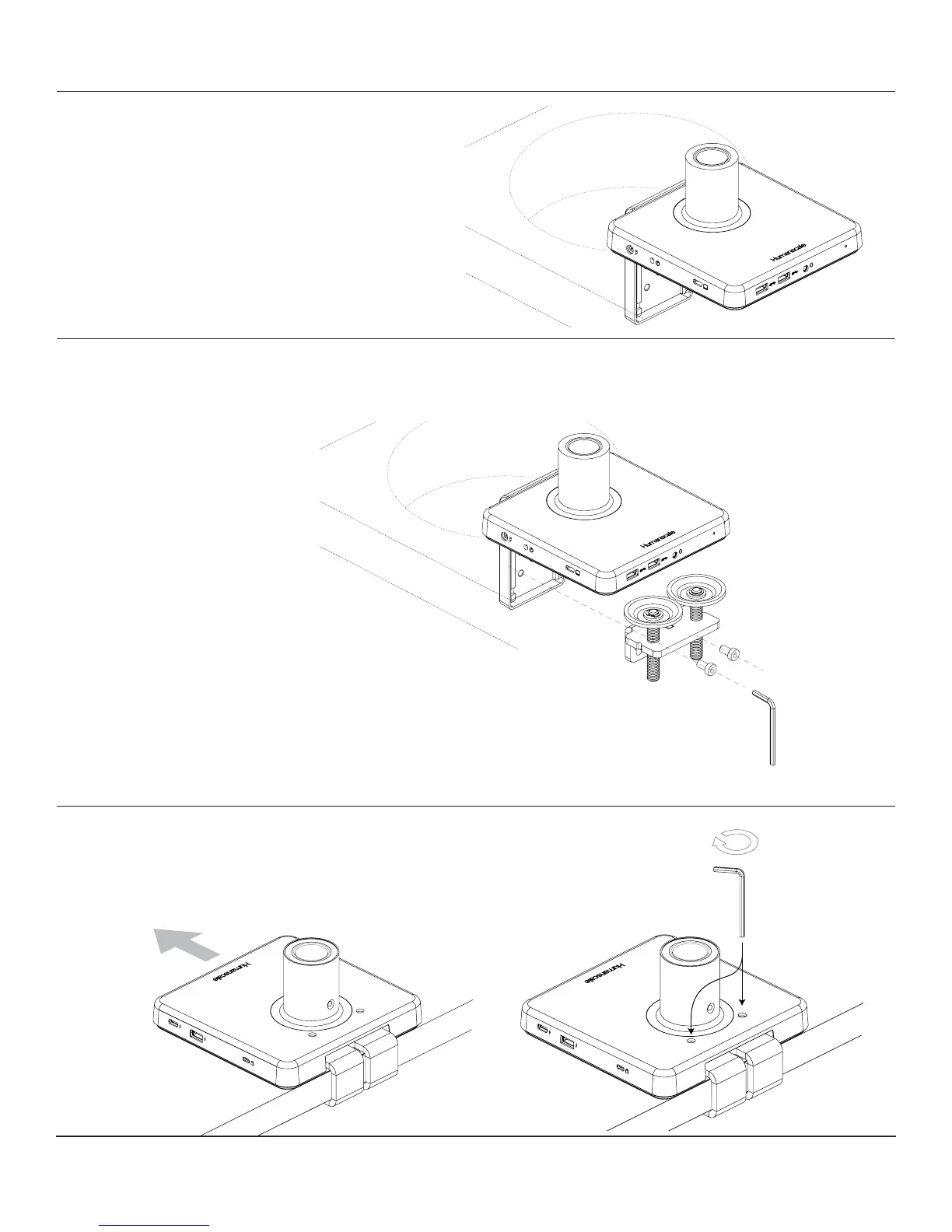
Place M/Connect 2 Clamp onto table edge
• Slide unit with loosely mounted bracket against work surface edge
• Tighten both set screws evenly into bracket to a snug t (g. E)
INSTALLING M/CONNECT 2 ONTO SLIDING DESK
STEP 1
STEP 2
Place into Grommet Hole or System Furniture Gap
• Place the L Bracket of the M/Connect 2
through the grommet hole and to the desired
position Note: Minimum hole diameter is
3" (76 mm)
STEP 3
Reattach Clamps
• Secure the lower bracket to the larger bracket reusing the two screws
E


 To Next Page