8
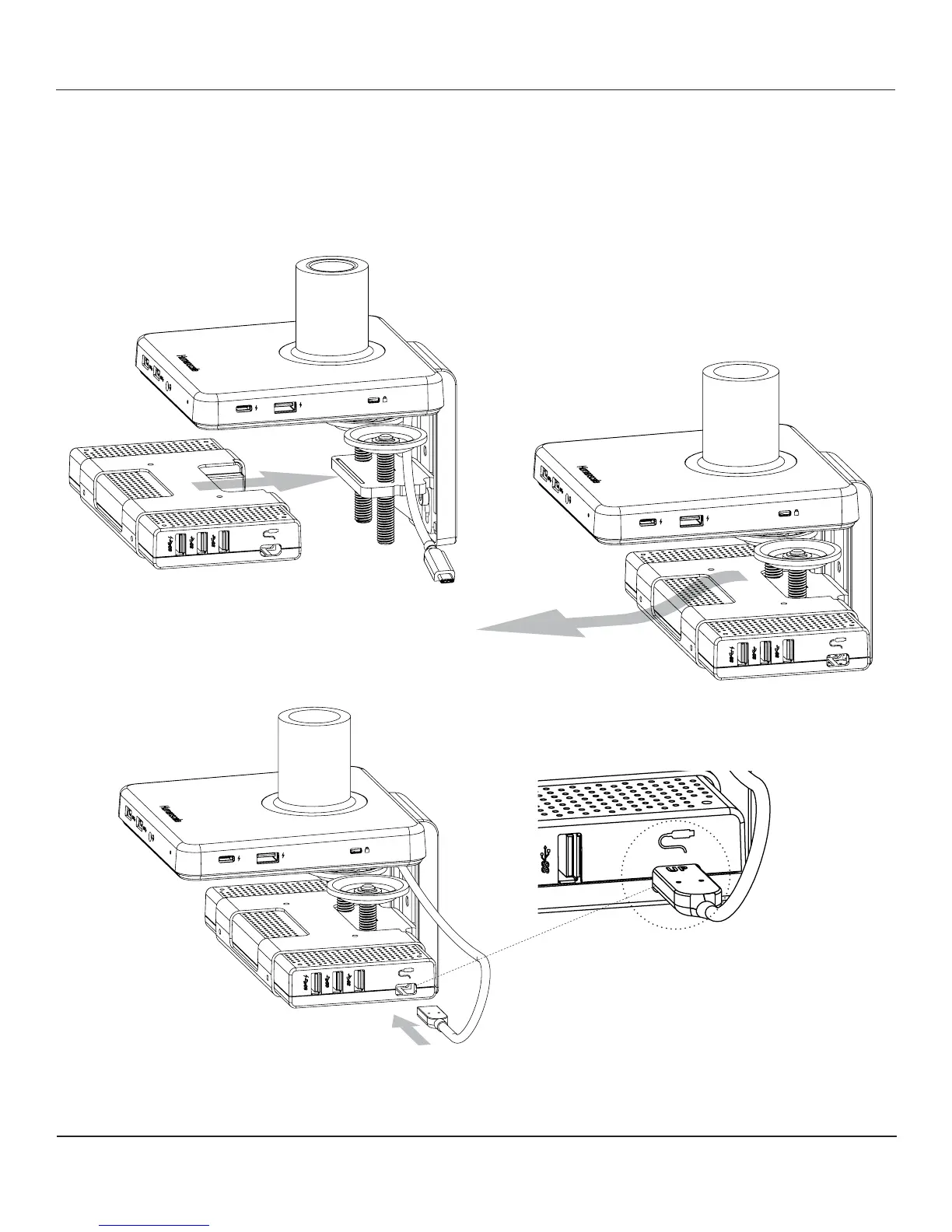
• To attach dock, slide onto the clamp bracket (g. F) until it snaps in place
• To remove dock, pull away from clamp while applying a downward force near front (Fig. G)
• Fully insert USB-C cable head (g. H) from hub into dock, ensuring complete connection
• The cable can only be connected in one direction, with the "Up" logo facing upward (Fig. I)
ATTACHING AND REMOVING DOCK
F
G
H
I


 To Next Page