9
F
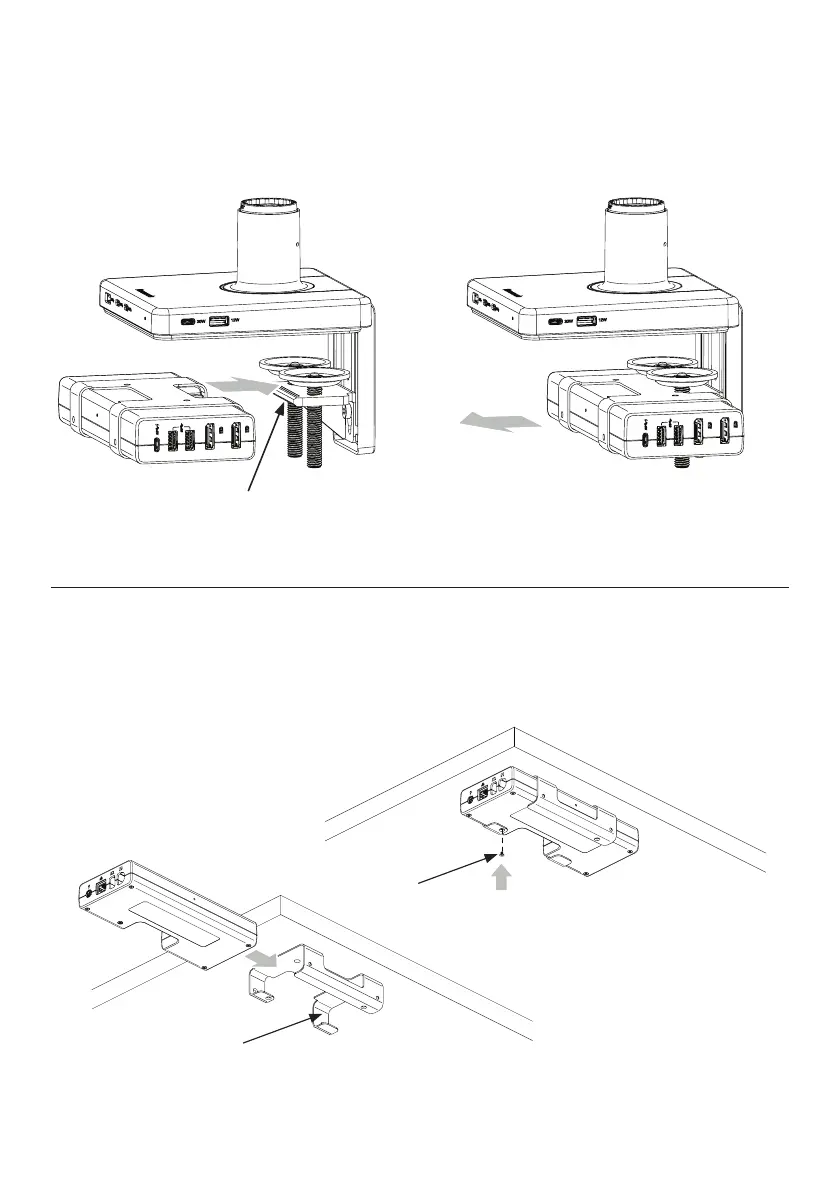
Attaching and Removing Dock
1
To attach dock, slide onto the clamp bracket (F) until it snaps into place. ①
2
To remove dock, pull away from the clamp while applying a slight
downwards force. ②
① ②
Mounting the M/Connect Dock
Horizontal Alignment
1
Screw dock bracket (G) beneath work surface
and slide dock in. ③
2
Install locking screw (H) through bracket into
dock to fully secure. ④
G
③
H
④



 To Next Page