EasyManua.ls Logo

Humminbird AS GPS HS - User Manual

Humminbird AS GPS HS
32 pages
Print Icon
To Next Page IconTo Next Page
Loading...
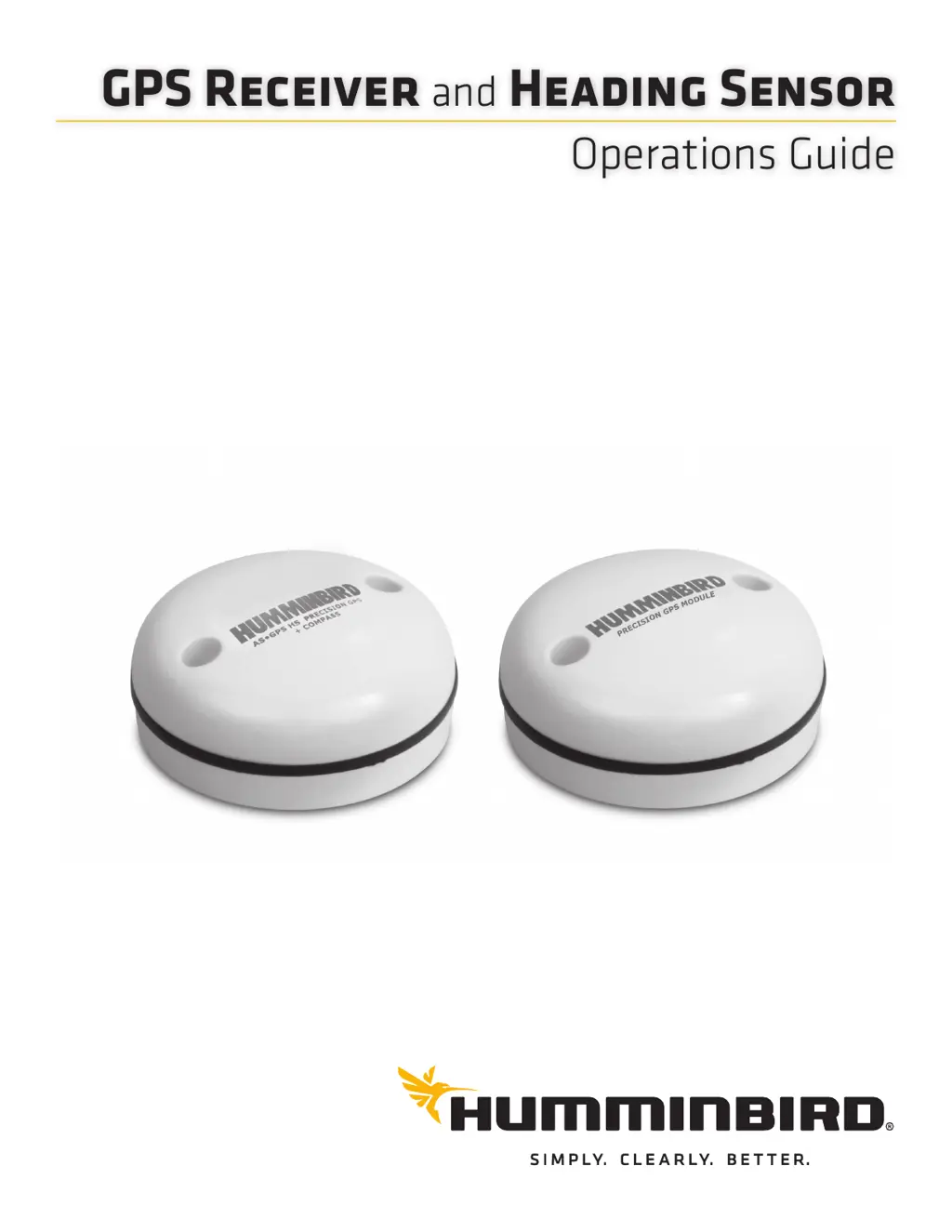
Operations Guide
532730-1EN_A
GPS R
and
H S

Other manuals for Humminbird AS GPS HS

Questions and Answers

  • S
    Steven RobertsAug 7, 2025
    What to do if my Humminbird GPS is not detecting fish?
    • S
      sdiazAug 7, 2025
      If your Humminbird GPS is showing no fish even when you know they are present, or if the sonar readings seem weak, consider the following: * Check your Installation Guide to reposition the transducer and ensure it is clean. * Low battery voltage can affect the power of signal transmission. * Electrical noise from the boat’s engine may be interfering with sonar reception. See Finding the Cause of Noise for more information.
  • H
    Howard Smith Jr.Aug 12, 2025
    Why does my Humminbird AS HS control head lose power at high speeds?
    • J
      julie36Aug 12, 2025
      If the Humminbird GPS control head loses power at high speeds, and your boat's engine has unregulated power output, ensure that the input voltage does not exceed 20 Volts.
  • J
    Jared FrancoAug 17, 2025
    Why does the bottom disappear on my Humminbird GPS at high speeds?
    • A
      Aaron PowellAug 18, 2025
      If the bottom disappears or weakens suddenly, or the display contains gaps when the boat moves at higher speeds, with your Humminbird GPS, it could be due to the following reasons: * The transducer position may need adjustment. Refer to your Installation Guide for suggestions. * Electrical noise from the boat’s engine may be interfering with sonar reception. See Finding the Cause of Noise for more information.
  • S
    Stephanie SheltonAug 22, 2025
    How to fix a Humminbird GPS that doesn't power up?
    • S
      Steven WhiteAug 22, 2025
      If your Humminbird GPS fishing system doesn't power up, correct any known problems. This includes removing corrosion from the battery terminals or wiring, or replacing the battery if necessary.
  • S
    Susan DoyleSep 1, 2025
    What to do if my Humminbird GPS defaults to simulator mode?
    • R
      Rebecca HarrisonSep 2, 2025
      If your Humminbird GPS defaults to simulator with a transducer attached: 1. Check that the transducer cable is securely connected to the fishing system, using the Installation Guide. Reconnect if necessary. 2. If available, replace the non-functioning transducer with a known good transducer. 3. Check the transducer cable for damage or corrosion. Replace the transducer if needed.
  • T
    Tom BrownNov 26, 2025
    How to reduce electrical noise on my Humminbird AS HS display?
    • R
      Rachel MartinezNov 26, 2025
      If electrical noise affects the Humminbird GPS display with many black dots at high speeds and high sensitivity readings: * Turn off nearby electronic devices to see if the problem goes away, then turn them on one at a time to see if the noise re-appears. * To determine if the boat’s engine is the source, increase the RPMs while in neutral and stationary to see if the noise increases proportionately. If noise appears when you rev the engine, the problem could be the spark plugs, alternator, or tachometer wiring. Replace the spark plugs with resistor plugs, install an alternator filter, or route the control head power and transducer cables away from the engine wiring. * Ensure the transducer is mounted at least 15” (38 cm) from the propeller, and that water flows smoothly over the tr...

Summary

Overview of GPS Receiver and Heading Sensor

How GPS and Trackplotting Work

Explains the principles of GPS technology and how it's used for trackplotting.

How the Heading Sensor Works

Describes the functionality of the magnetic compass in the Heading Sensor.

Getting Started with Your System

Power On and Confirm GPS Reception

Guides users on powering on the control head and verifying GPS signal.

Confirm Heading Sensor Operation

Steps to verify the Heading Sensor is functioning correctly and providing accurate data.

Navigation Features

Waypoints, Routes, and Tracks

Introduces the core navigation features: marking points, creating paths, and tracking movement.

Navigating to Waypoints

How to initiate navigation to a specific point or waypoint.

Navigation Alarms

Alarms Setup and Adjustment

Guides on enabling and configuring navigation-related alarms.

Troubleshooting Common Issues

Fishing System Power Issues

Solutions for problems when the fishing system fails to power on.

Transducer Detection Issues

Troubleshooting steps for when the system defaults to simulator mode.

Display Problems

Common display issues and their potential solutions for the control head.

Finding the Cause of Noise

Methods for diagnosing and reducing electrical noise affecting sonar reception.

Humminbird AS GPS HS Specifications

General IconGeneral
TypeGPS Receiver
WAASYes
Connection TypeNMEA 0183
Power Supply12 VDC
Waterproof RatingIPX7
FeaturesHigh-sensitivity GPS
CompatibilityHumminbird Fishfinder and Chartplotter units

Related product manuals