18Control Head Setup
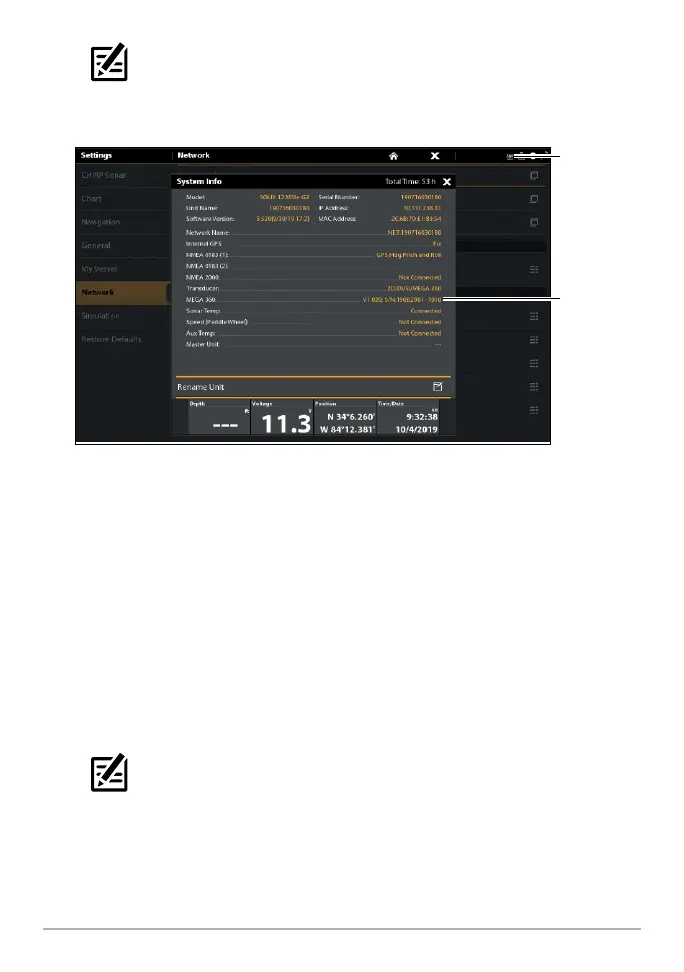
NOTE: For additional system status, select Home > Settings > Network >
System Info.
MEGA 360 Imaging Transducer Connected (SOLIX)
MEGA 360
Imaging listed
as transducer
MEGA 360 icon
on the status bar
HELIX Series
1. Turn on the power source from the main switch.
2. On the control head, press the POWER key. If you are powering on a control
head in a multiple-control head Ethernet network, power on the control
head that is connected to the MEGA 360 Imaging transducer first.
3. When the Title screen is displayed, press the MENU key.
4. Select Normal. Press the RIGHT Cursor key.
5. Press and hold the VIEW key. Select System > Accessory Test. Confirm that
MEGA 360 Imaging is listed as Connected.
NOTE: If the Accessory Test is not displayed in the View Rotation, press the
MENU key twice to open the Main Menu. Select the Views tab > Accessory
Test. Change the setting to Visible.












 To Next Page