45
7. SET UP THE LIGHTNING FUNCTIONS
4
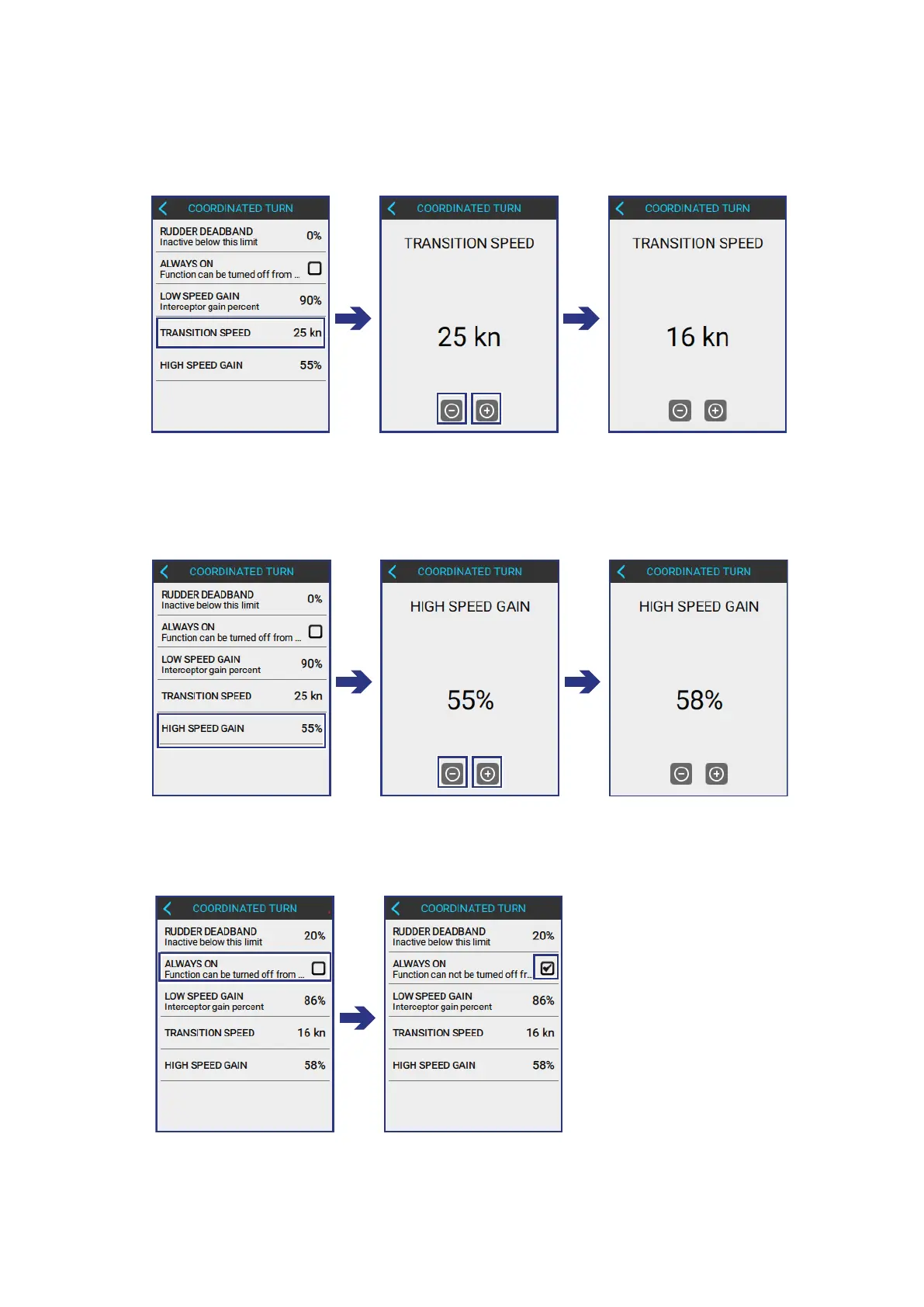
INPUT THE HIGH SPEED GAIN blade extention percentage into the LCP:
COORDINATED TURN > HIGH SPEED GAIN
• Use the + and - buttons to input the correct value.
3
INPUT THE TRANSITION SPEED into the LCP:
COORDINATED TURN > TRANSITION SPEED
• Use the + and - buttons to input the correct value.
5
TICK THE ALWAYS ON BOX, to make sure that COORDINATED TURN cannot
be tured o from the main screen:



 To Next Page