46
7. SET UP THE LIGHTNING FUNCTIONS
7.4 ENABLE AND ADJUST PITCH & ROLL
NOTE!
High values of PITCH SENSITIVITY and ROLL STABILIZATION can interfere with
the auto-pilot systems of the boat!
To solve auto-pilot issues, reduce the Pitch and Roll sensitivities until the auto-
pilot starts working again.
Pitch Control and Roll Stabilization increase comfort on boat as this function does
the following:
• Reduces unwanted pitching
• Reduces roll motions of the boat
To propperly congure the PITCH & ROLL function, test and adjust the Pitch and
Roll sensitivities on water with waves.
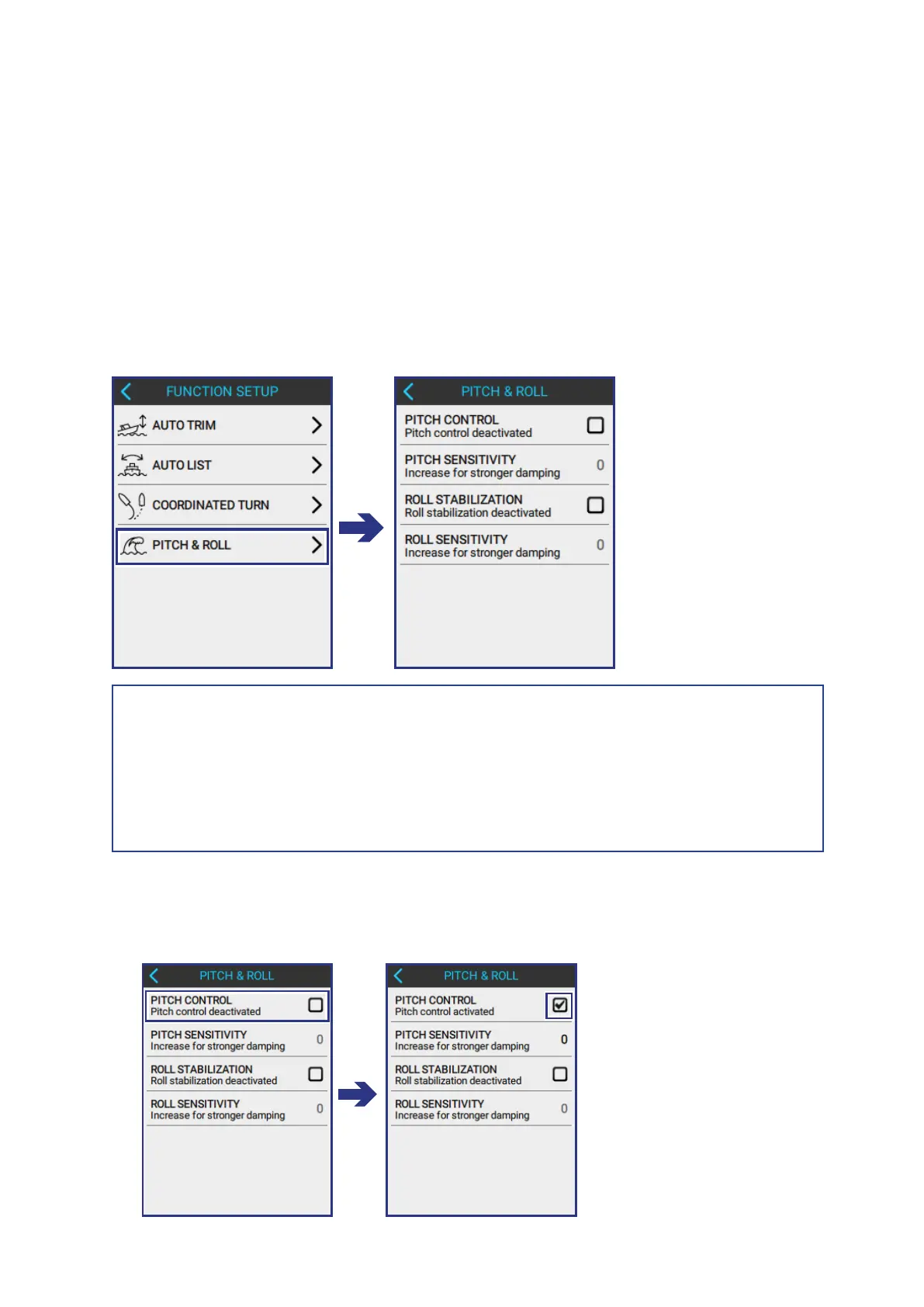
To open the PITCH & ROLL screen, do the following:
FUNCTION SETUP > PITCH & ROLL
7.4.1 ENABLE AND ADJUST PITCH SENSITIVITY
1
TICK THE PITCH CONTROL BOX to activate the functionality.



 To Next Page