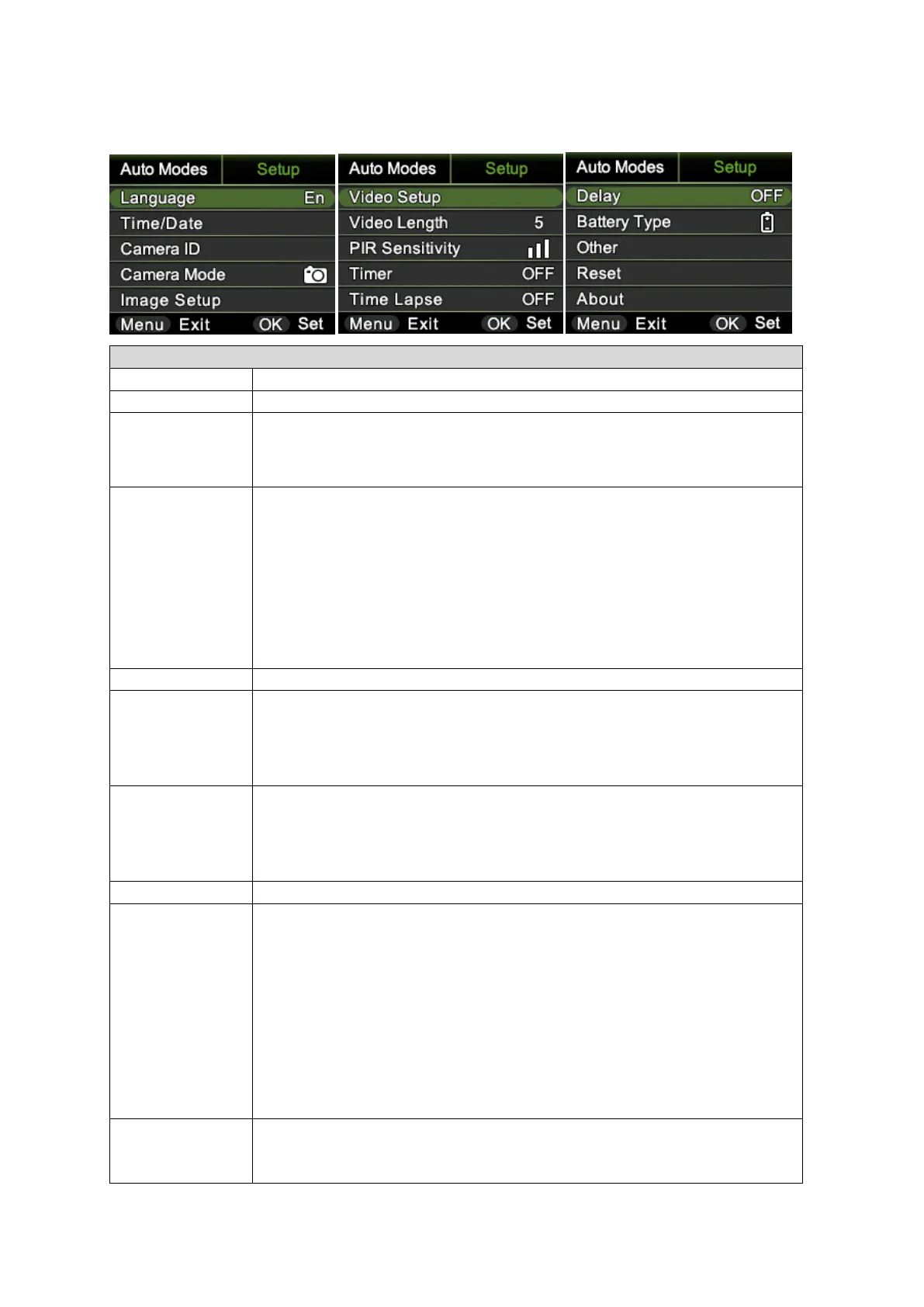
Month: date: year; hour: minute: second
Note! Please adjust camera date/time to ensure some functions
work as expected.
Cam Name:
Select “ON”, press “OK”, to set 4 digits/ alphabets for each
camera. Such function can help user to identify photos are from
where and which camera.
Password:
Select “ON”, press “OK”, to enable password protection for your
camera; support totally 6 digits/ alphabets long password
access.
Select camera working mode in the menu.
Image Size:
12MP (4000*3000), 16MP (4608*3456), 24MP (5632*4224)
Multi-shot:
Programmable 1~7 photos per trigger
Video Size:
FHD (1920*1080), HD (1280*720), VGA (640*480)
Video Frame:
30FPS,15FPS
High, Middle, Low
Higher sensitivity is:
1) more sensitive to movements by smaller subjects
2) longer detection distance
3) easier for sensor to detect difference between body heat and
outdoor temperature
4) easier to trigger camera to record.
In high temperature environment, body heat of subjects and
environment temperature is hard to tell by camera, suggest
setting High.
Select “ON”, press “OK”, to set the beginning time and end time
(hour/minute); camera will only work during the time period user
set. i.e.: 15:00 – 18:00; camera only works during 15:00 – 18:00


 To Next Page