A
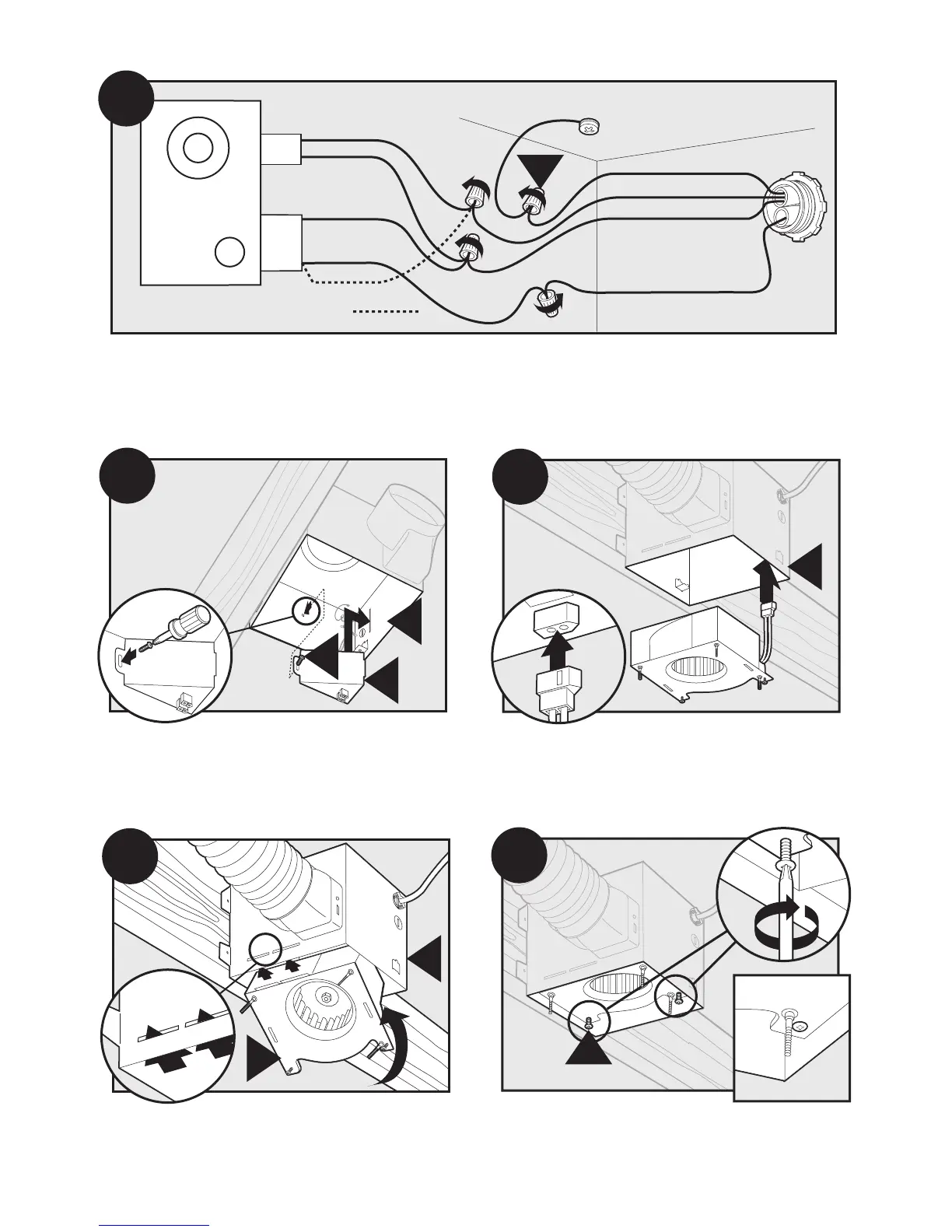
3 Pin
2 Pin
Fan Motor
Light
Light
Green
Black
Black
White
Black
Black
White
White
Bare Copper
Ground
B15
Main Switch 1 (AC In)
Switch 2 (AC In)
*Option Fan & Main Light Together
*Option
Install the wiring cover plate. Make sure all wiring
connections are inside the box or under the wiring
cover plate.
Connect wiring from the motor to the wiring cover plate.
Reinstall the motor by inserting the tabs and pushing up
into position. Make sure the wires are not pinched between
the motor and the housing.
11
Secure the motor by tightening the 2 screws.
41788-01 6/1/2005
Connect wires as shown.



 To Next Page