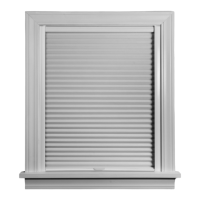
This document provides installation, operation, and care instructions for Hunter Douglas Designer Roller & Designer Screen Duolite® Shades with PowerView® Automation.
Function Description:
The Hunter Douglas Designer Roller & Designer Screen Duolite® Shades are automated window coverings designed to provide light control, privacy, and aesthetic appeal. The "Duolite" feature suggests a dual-layer shade system, likely combining a decorative front shade (roller or screen) with a back liner shade, allowing for versatile light management. The integration with PowerView® Automation enables motorized operation, offering convenience and the ability to control shades remotely or program schedules. The system utilizes a motor, which can be powered by a battery wand, a satellite battery pack, or a DC power supply, and is controlled via a PowerView® Remote or a PowerView® Hub.
Important Technical Specifications:
- Shade Width Requirements for Brackets:
- Up to 36": 2 brackets
- 36⅛" - 66": 3 brackets
- 66⅛" - 84": 4 brackets
- Minimum Mounting Depth (Inside Mount):
- PowerView® shades with battery wand: 2¼"
- All other shades: 1⅝"
- Fully recessed mounting for PowerView® shades with battery wand: 4⅝" (4" for cassette to be flush with the front of window casement).
- Battery Wand/Pack Placement: Allow a minimum of 18" from the motor end for the battery wand.
- Power Supply Cable Spacing: Wire retainers for DC power supply cable should be spaced approximately 15" apart.
- PowerView® Automation: The system includes a motor with an LED indicator for programming status. Control is facilitated by a PowerView® Remote or PowerView® Hub.
- Fasteners: #6 x 2" screws for wall mount with attached battery wand and cassette spacer blocks; #6 x 1½" screws for wall mount with satellite battery pack (without spacer blocks) or ceiling mount.
- Drill Bit Size: 3/32" drill bit for screw holes.
- Hex Driver Size: ¼" hex driver.
- RF Frequency: The PowerView® Automated shades are powered by a single DC power supply and have their own RF receiver.
- FCC Compliance: The device complies with Part 15 of the FCC Rules, ensuring it does not cause harmful interference and accepts interference received.
- ISED Canada Compliance: The device complies with Innovation, Science and Economic Development Canada's license-exempt RSS(s), ensuring it does not cause interference and accepts interference received.
- EMC Directive 2004/108/EC & R&TTE Directive 1999/5/EC: Hunter Douglas certifies that their products comply with the essential requirements of these directives.
Usage Features:
- Installation Flexibility: Supports both inside mount and outside mount installations. Cassette installation brackets are used for mounting.
- Power Options: Can be powered by a battery wand (attached or satellite pack) or a DC power supply (standard or daisy-chain connections for up to three shades).
- Motorized Operation: Shades are operated using a PowerView® Remote or PowerView® Hub.
- Remote Control: The PowerView® Remote features buttons for "open," "close," "all," "favorite," "stop," and group selection (1-6).
- "Open" raises the front shade and back panel.
- "Close" lowers the front shade and back panel.
- "All" controls all programmed shades.
- "Favorite" sets the shade to a preset position (back panel at 50% open by default).
- "Stop" halts shade movement.
- Group buttons allow control of individual shades or groups of shades.
- Programming:
- Joining a Shade to a Group: Press and hold "STOP" on the remote until indicator lights blink (approx. 6 seconds). Select a group number (1-6) on the remote. Press the programming button on the shade until the green light flashes twice, then release.
- Setting Favorite Position: Press "FAVORITE" to send selected shade(s) to your preset "favorite" position.
- Back Panel Lower Limit Adjustment: Allows adjustment of the back panel's lower limit independently of the front shade. This involves pressing the group button, then pressing and holding the programming button on the shade, and using "CLOSE" on the remote to enter limit mode.
- Calibration Reset: The shade's travel limits can be recalibrated by pressing and holding the programming button for approximately 6 seconds (shade moves slightly) and then again for 12 seconds (shade moves slightly again, then flashes green and red).
- Shade Removal: Involves inserting a flat blade screwdriver into the slot on the bracket, pressing down to release the cassette, and rolling the cassette forward and down.
Maintenance Features:
- Troubleshooting Guide: Provides solutions for common issues such as the shade not fitting into installation brackets, not operating using the programming button, not responding to the PowerView® remote, or slow operation.
- Battery Replacement: Instructions for checking batteries in the remote and shade, and replacing them if necessary.
- Cleaning Procedures:
- Dusting: Regular light dusting with a feather duster.
- Vacuuming: Use a hand-held vacuum with low suction for thorough dust removal.
- Compressed Air/Hair Dryer (Cool Setting): Use compressed air or a hair dryer on a cool setting to blow dust and dirt off of shades.
- Spot-Cleaning: Prepare a solution of warm water and a mild detergent. Dampen a clean cloth, dab the spot, and allow the shade to dry in the completely lowered position. Avoid rubbing the fabric.
- Consumer Support: Hunter Douglas Consumer Support Center is available for questions and assistance at 1-888-501-8364.
- Limited Lifetime Warranty: Covers defects in materials, workmanship, and failure to operate for as long as the original retail purchaser owns the product. Exclusions include normal wear and tear, abuse, accidents, exposure to elements, failure to follow instructions, shipping costs, and removal/reinstallation. Hunter Douglas will repair or replace defective window fashion products or components.



 To Next Page
 General