Applause
®
, Duette
®
, and Vignette
®
Tiered
™
Shades
Applause
®
, Duette
®
, and Vignette
®
Tiered
™
Shades
11
Applause, Duette, and Vignette Tiered
Lower the Bottom Rail
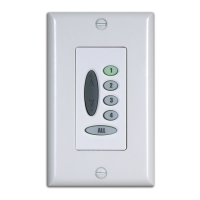
1. With the middle rail fully raised, press the group button
assigned to the shade.
2. Press the DOWN
button to lower the bottom rail and cover
the window.
Lower the Middle Rail
1. With the bottom rail fully lowered, press the group button
assigned to the shade.
2. Press the DOWN
button to lower the middle rail while the
bottom rail remains in the fully lowered position.
Note: On a Top-Down/Bottom-Up shade, the shade will
uncover the window. On a Duolite
™
shade, the top fabric panel
will cover the window.
Raise the Middle Rail
1. With the bottom rail fully lowered, press the group button
assigned to the shade.
2. Press the UP
button to raise the middle rail while the
bottom rail remains in the fully lowered position.
Note: On a Top-Down/Bottom-Up shade, the shade will
cover the window. On a Duolite shade, the bottom fabric panel
will cover the window.
Raise the Bottom Rail
1. With the middle rail fully raised, press the group button
assigned to the shade.
2. Press the UP
button to raise the bottom rail and uncover
the window.
Note: The Platinum
™
wireless wall switch will not operate
PowerRise
®
systems set to Infrared Channel B.


 To Next Page