7
Installation
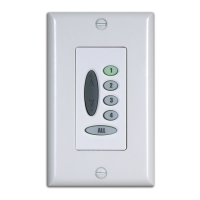
The Platinum
™
wireless wall switch can be installed either as a
surface mount or a flush mount.
Installing the Platinum Wireless Wall Switch
as a Surface Mount
1. Remove the back cover from the switch.
2. Use the mounting screws supplied with the switch to secure
the back cover to the wall.
3. Place the switch assembly over the back cover, top first.
4. Press the bottom edge of the switch assembly over the bottom
of the back cover until the bottom locking tab is secure.
5. Install the faceplate over the switch assembly.
Installing the Platinum Wireless Wall Switch
as a Flush Mount
The Platinum wireless wall switch fits standard electrical mounting
boxes. Use a low voltage electrical retrofit ring or electrical junction
box for installation. Check local electrical codes for proper installation.
Surface Mount Flush Mount


 To Next Page