3
Radio Control
Getting Started
Radio control gives you the ability to control individual
window coverings or multiple window coverings at
the same time, even if they are in anotherroom.
Group Assignment
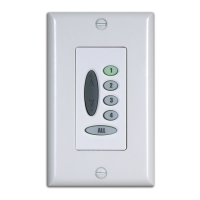
To use the wireless wall switch, each window covering must first
be assigned to a group. (A window covering can be a member of
more than one group.)
Note: If your wall switch has already been set up, skip to “Basic
Operation” on page 5.
There are four unique assignable groups to use. A group can be a
single window covering or multiple window coverings.
Before beginning, think about how you will group your window
coverings. For example, you might create a group for all window
coverings in a single room or a group for all window coverings on
one wall. You can use the “Group Assignment Worksheet”on
page 21 to help you plan.
Note: Hunter Douglas recommends that only similar window
coverings be included in a group (e.g., Duette
®
honeycomb shades
assigned to Group1 and Silhouette
®
window shadings assigned to
Group3) because of differences in product features and operation.
Note: The Platinum
™
wireless wall switch will not operate
PowerRise
®
, PowerGlide
®
, or PowerTilt
™
systems manufactured
before September 2007.


 To Next Page