13
INSTRUCTIONS FOR USE
5. Plug the mains plug into the socket. The device will produce a short buzzer sound, the display will turn on
and then turn off at once. Now the device is ready for use.
6. Touch the On/Off symbol on the device, the humidifier will begin to work in the second mist power level.
The device will independently define the current humidity in the room.
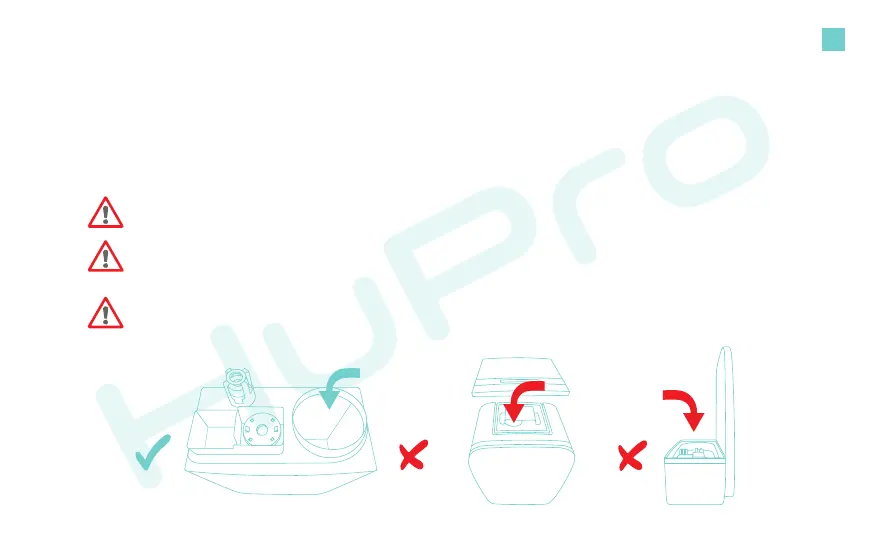
Pic 5 Pic 6 Pic 7
Use cold/warm (not over 100 °F) dislled or filtered water.
Pour water in the water tank ONLY (Pic 5)! Make sure not to pour water directly in the mist outlet that
is located on the top of the water reservoir (Pic 6). As this is a boom filling model, turn the water
tank boom up, unscrew the lid and pour water into it.
Do not fill the humidifier base with water (Pic 7). The humidifier base is automacally filled with
water through a water tank valve.


 To Next Page