14
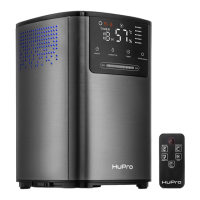
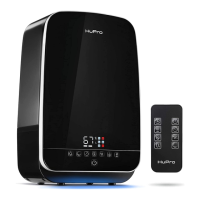
OPERATING INSTRUCTIONS - ON THE HUMIDIFIER
ON/OFF
Short press to turn the humidifier on/off. Once press the buon, LED display will switch on and the humidifier
will begin to work in the 2nd mist power level. The device will independently define the current humidity in
the room.
Press this buon again, the humidifier stops working and enters the Standby Mode.
Aer you turn off and then turn on the humidifier without unplugging the mains plug, the device will connue
to work in the mode as before. Aer you unplug and then plug the mains plug again, the device will start
working in the second mist power level automacally.
MIN/MAX
Short press the buon to amend the mist power output. 3 power levels are available. The chosen mist
power level will be shown on the display. The mist power symbol means the 1st mist power level,
is the 2nd mist power level and is the 3d mist power level.
HUMIDITY
Humidity level. To select the desired humidity level, press the buon one or several mes. The minimum
humidity level is 40%RH, the maximum - 80%RH.
Aer you select the humidity level that you want to reach, the humidifier will save it and show the current
humidity level on the display. The current humidity level will be shown on the display unl the humidifier
reaches the selected level.
Once the desired humidity level is reached, the device stops working and enters the Standby Mode.
If the humidity level is 5%RH lower than the desired humidity level, the device will automacally start
working again to keep the target humidity level.
If you set up the humidity level that is lower than the actual humidity in the room, the device
will keep working for 2 minutes and then will stop working automacally.


 To Next Page