Instructions for use
Check the package contents
The package contains:
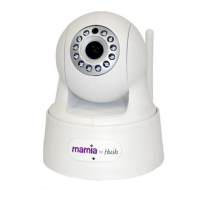
1 camera
1xedmainsadaptor
1 network cable
1stand/mountwithscrewttings
1 user manual
Initial Setup
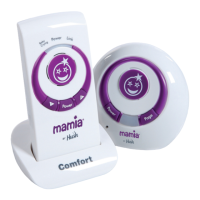
1. Open the box, and connect your Mamia by Hush Baby Monitor [1] to your
network router via the supplied Network Cable [3].
2. Plug the 5V DC Power Supply Adaptor [2] into the correct socket (labelled
POWER) on the rear of the Mamia by Hush Baby Monitor and turn the
power on.
3. Use the supplied QR codes to download the appropriate App (iOS or Android)
or visit www.myhush.co.uk for more information.
4. Once installed, open up the Android or iOS App and observe the instructions
that follow.
Helpline: UK - 0845 340 3880 IRE - 1890 944 542 Email: support@myhush.co.uk 5
Instructions for use
IREGB


 To Next Page