Product Description
DOCUMENT HQI-J-OT1-001
ES_DATE 2017-11-01
Optical Coherence Tomography
HOCT-1F, HOCT-1
RE_DATE 2020-01-30
REV R-3 PAGE 9 / 52
Q-I-300-02(R1):2018/06/04 Huvitz Co.,Ltd
4. GUI Interface
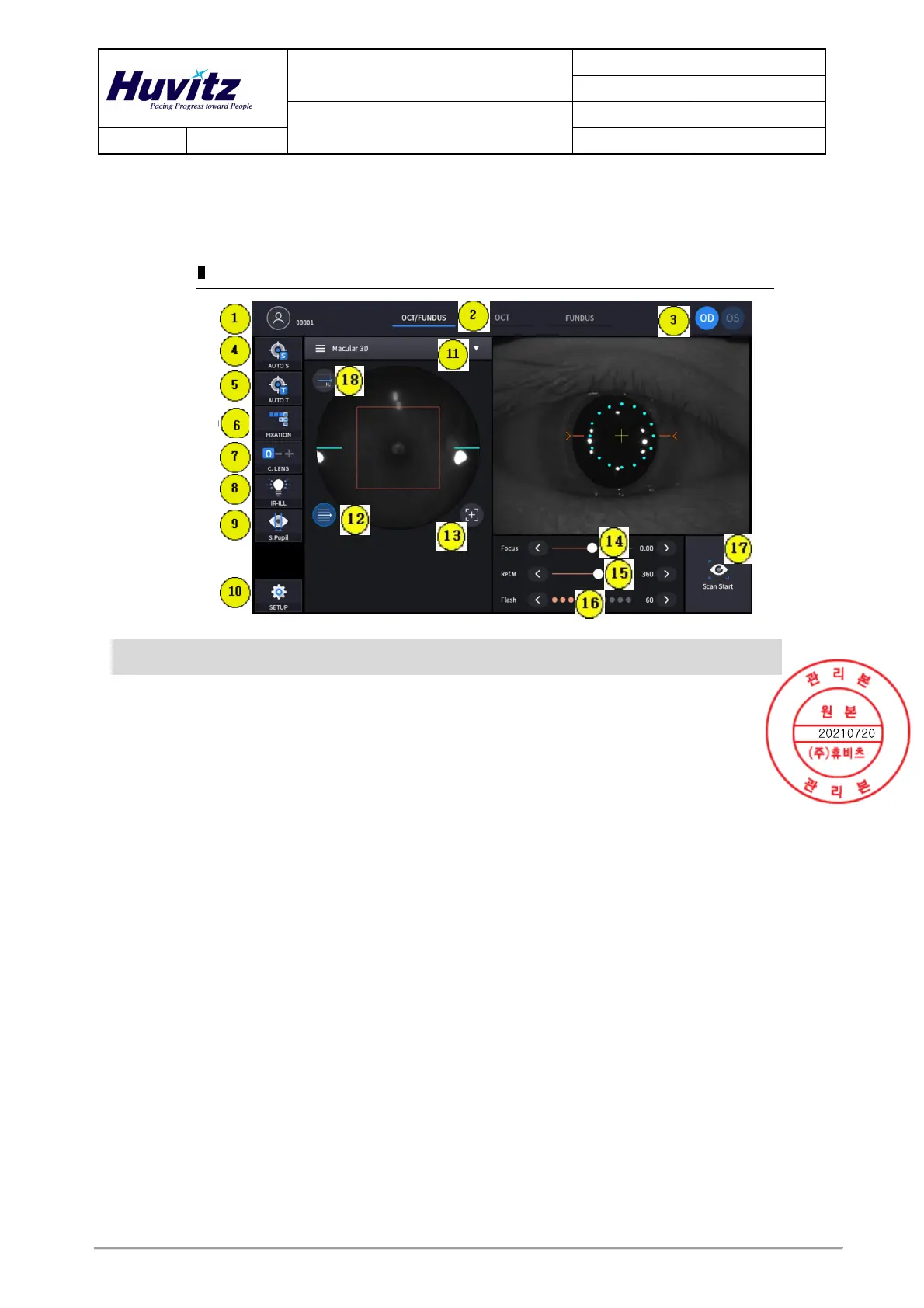
① OCT/Fundus mode (HOCT-1F only)
Observation screen
Name Description
1
Patient
information
Show patient name and ID number.
Can be moved to select/resist patient mode by clicking.
2
Observation
mode
Show current observation mode.
- OCT/Fundus: Capture OCT and Fundus image simultaneously.
- OCT: Capture OCT image.
- Fundus: Capture Fundus image.
3 OD/OS
Show current eye position.
- OD: right eye
- OS: left eye
4 AUTO S Show auto shooting selection status.
5 AUTO T Show auto tracking selection status.
6 FIXATION Select position of internal fixation target.
7 C LENS
Show compensation lens status.
0: No compensation lens is used.
-: Minus compensation lens is used.
+: Plus compensation lens is used.
8 IR-ILL
Select brightness level of IR light for fundus observation.
Normal / Bright mode is toggled by clicking.
9 S.Pupil Show small pupil mode selection status for fundus image.
10 SETUP Move to user setup mode.
11 Capture region
Select capture region and capture mode
- Fundus/OCT or OCT mode: Macular, Disk, Anterior
- Fundus mode: Single, Panorama
12 Scan range Toggle whether scan range is displayed or not.



 To Next Page