CONTENTS
1. Introduction ...................................................................................................................................... 6
1.1. Main Functions ....................................................................................................................... 6
1.2. System Configuration ............................................................................................................. 7
1.3. Classification .......................................................................................................................... 8
2. Safety Information............................................................................................................................ 9
2.1. Introduction ............................................................................................................................ 9
2.2. Safety Symbols .................................................................................................................... 10
2.3. Environmental Considerations .............................................................................................. 11
2.4. Safety Precautions ............................................................................................................... 13
3. System Overview ........................................................................................................................... 17
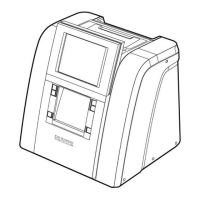
3.1. Edger (HPE-810) .................................................................................................................. 17
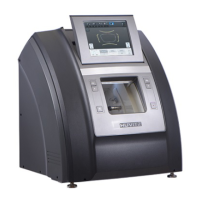
3.2. Frame Reader (HFR-8000) .................................................................................................. 20
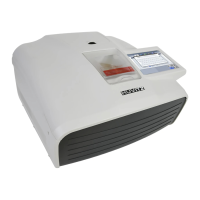
3.3. Blocker (HMB-8000) ............................................................................................................. 21
3.4. Standard Accessory (Tool Box) ............................................................................................ 22
4. Installation Procedure ................................................................................................................... 23
4.1. Edger ................................................................................................................................... 23
4.2. Frame Reader ...................................................................................................................... 24
4.3. Blocker ................................................................................................................................. 24
5. Operation ........................................................................................................................................ 25
5.1. Frame Reader ...................................................................................................................... 25
5.1.1. Control Panel ........................................................................................................ 25
5.1.2. Frame Tracing ...................................................................................................... 26
5.1.3. Pattern Tracing ..................................................................................................... 26
5.2. Blocker ................................................................................................................................. 27
5.2.1. Scale Plate ........................................................................................................... 27
5.2.2. Lens Adapter Setter .............................................................................................. 27
5.2.3. Blocking Mode ...................................................................................................... 27
5.2.4. Operation .............................................................................................................. 29
5.3. Edger ................................................................................................................................... 31
6. Edger User Interface ...................................................................................................................... 32
6.1. Main Screen ......................................................................................................................... 32
6.1.1. Side Button ........................................................................................................... 32
6.1.2. Job Management .................................................................................................. 34
6.1.3. Frame Information ................................................................................................ 37
6.1.4. Layout Option ....................................................................................................... 37
6.1.5. Edging Option ....................................................................................................... 41
6.1.6. Detailed Edging Option ......................................................................................... 48
6.1.7. Function Button..................................................................................................... 50
6.2. Manual Bevel/Groove Position Modification .......................................................................... 51
6.2.1. Base Position ........................................................................................................ 51
6.2.2. Region Selection ................................................................................................... 52
6.2.3. Position Modification ............................................................................................. 54
6.2.4. Reset & Apply Button ............................................................................................ 58
6.3. Partial Grooving Screen ....................................................................................................... 59
6.3.1. Region Selection ................................................................................................... 60
6.3.2. Processing Type Selection .................................................................................... 62
6.3.3. Safety Bevel Button .............................................................................................. 63
6.3.4. Reset & Apply Button ............................................................................................ 63


 To Next Page