D. DURING CONVERSATION
14
Conference with 1 internal party and 1 outside party: (Programming Maybe Required)
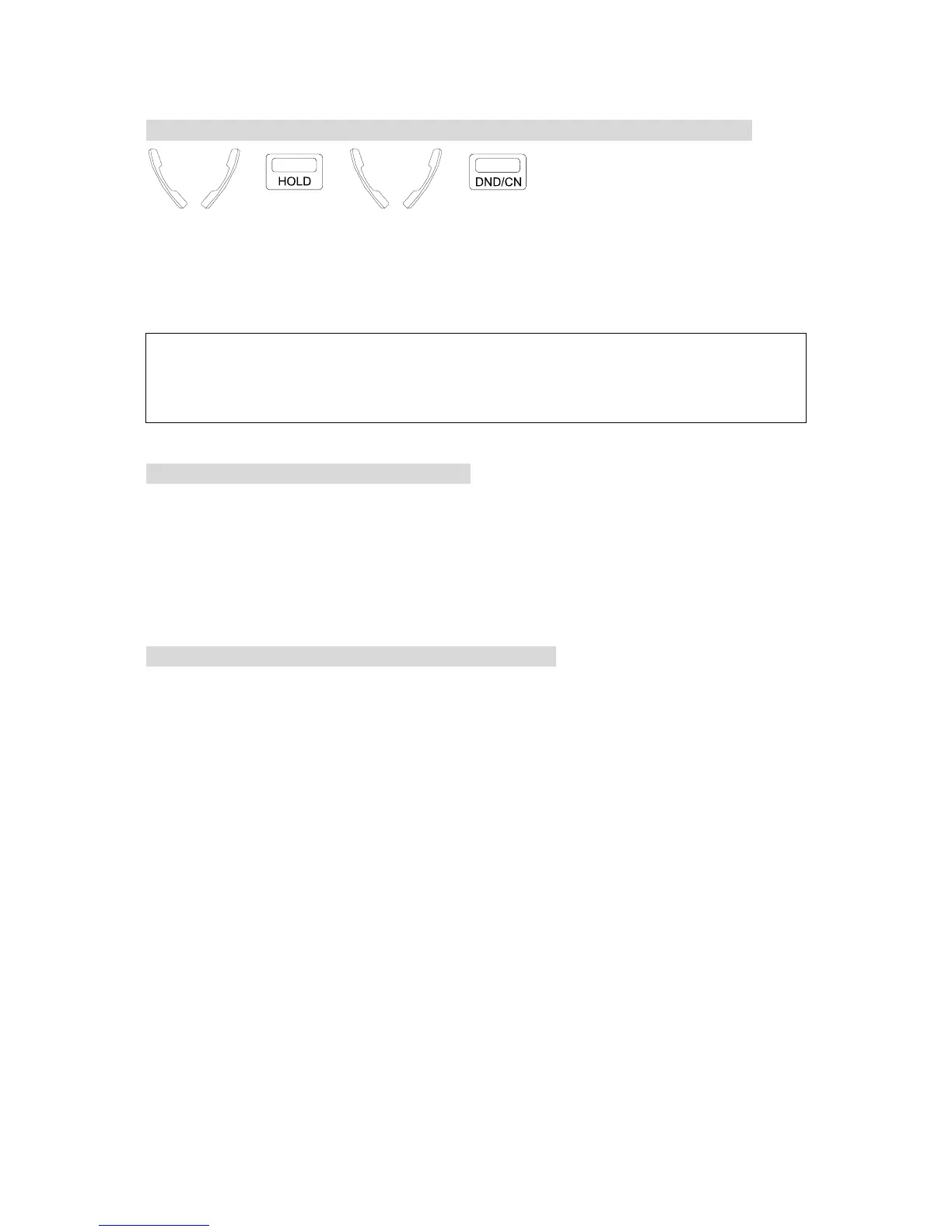
<=A → → <=B →
. In conversation with an outside / internal call.
. Press [HOLD] key to hold the call.
. Make another internal / outside call.
. Press [DND/CN] when the 2nd answers, all three
parties are connected.
NOTE: 1. To return to the first call if the second call is not answered, press the blinking CO key ( outside
call ) or the called Ext. No. (intercom) to retrieve the held party.
2. When connecting 1 outside party and 1 internal party, after one of the three parties has hung up, the
other two parties can still converse with each other.
To Remove A Party From A Conference Call:
During the conference, press the CO line of the party you would like to disconnect.
You will be connected to this line and removed from the conference. Other parties will
continue in the conference.
Disconnect the other party by hanging up.
To return to the original conference, simply lift the handset and press the conference key.
To Confer With Members Privately In A Conference Call:
During the conference, press the CO line of the party you would like to confer with. Other
members will continue in the conference.
To return to the original conference, simply press the conference key.


 To Next Page
 Loading...