25
ENGLISH
3. Operating instructions
a Turn on the „On/O „button.
b When one of two channels has not been connected appropriately, it will
not be displayed on the LCD.
c Press the „Program“ button to choose di erent program in turn (default
program as „P1“), total 16 programs from 1-16.
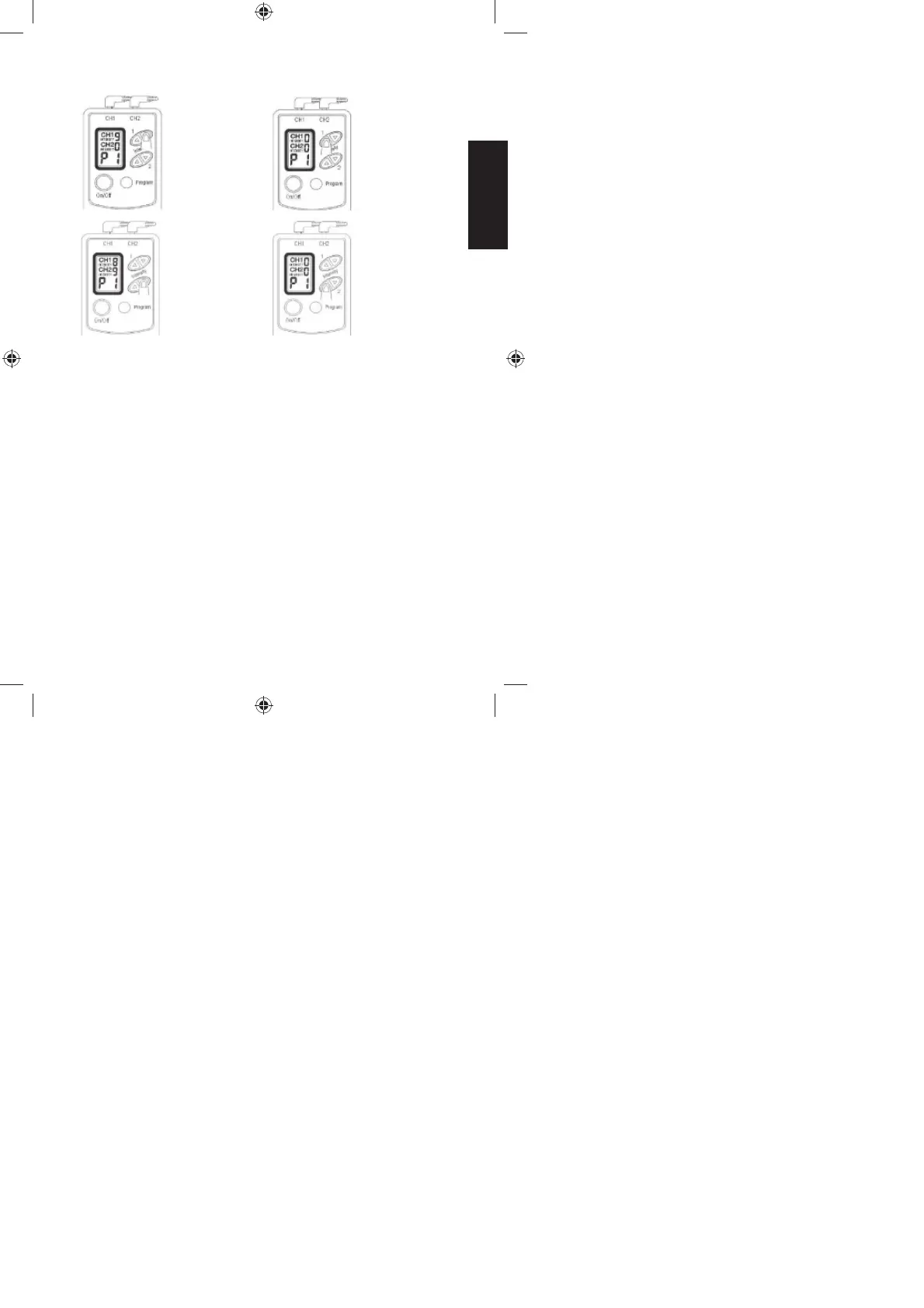
d Press the „Intensity“ button of each output channel to choose di erent
intensity. (default intensity as“0“), total 9 intensities from 0-9.
e Finishing the Operation
Pull out the plug from the main apparatus. Clean the electrodes.
You should hold the plug when pulling it out. Please do not pull the
wire.
Clean the electrodes:
- You should hold the plug when pulling it out. Please do not pull the wire.
- Please use clear water to wash or use wet cloth (instead of facial tissue)
to gently wipe up the electrodes when cleaning them. Do not use brush
or ngernail to clean surface of the electrodes to avoid scratching them.
Decrease
„Intensity“ for
CH1 (CH1)
Decrease
„Intensity“ for
CH2 (CH2)
Increase
„Intensity“ for
CH1 (CH1)
Increase
„Intensity“ for
CH2 (CH2)
08428_DE-GB-FR-NL_V2.indd 2528_DE-GB-FR-NL_V2.indd 25 19.12.2013 10:18:4919.12.2013 10:18:49


 To Next Page