4.Use and Operation Instruction of Wire Controller
SET
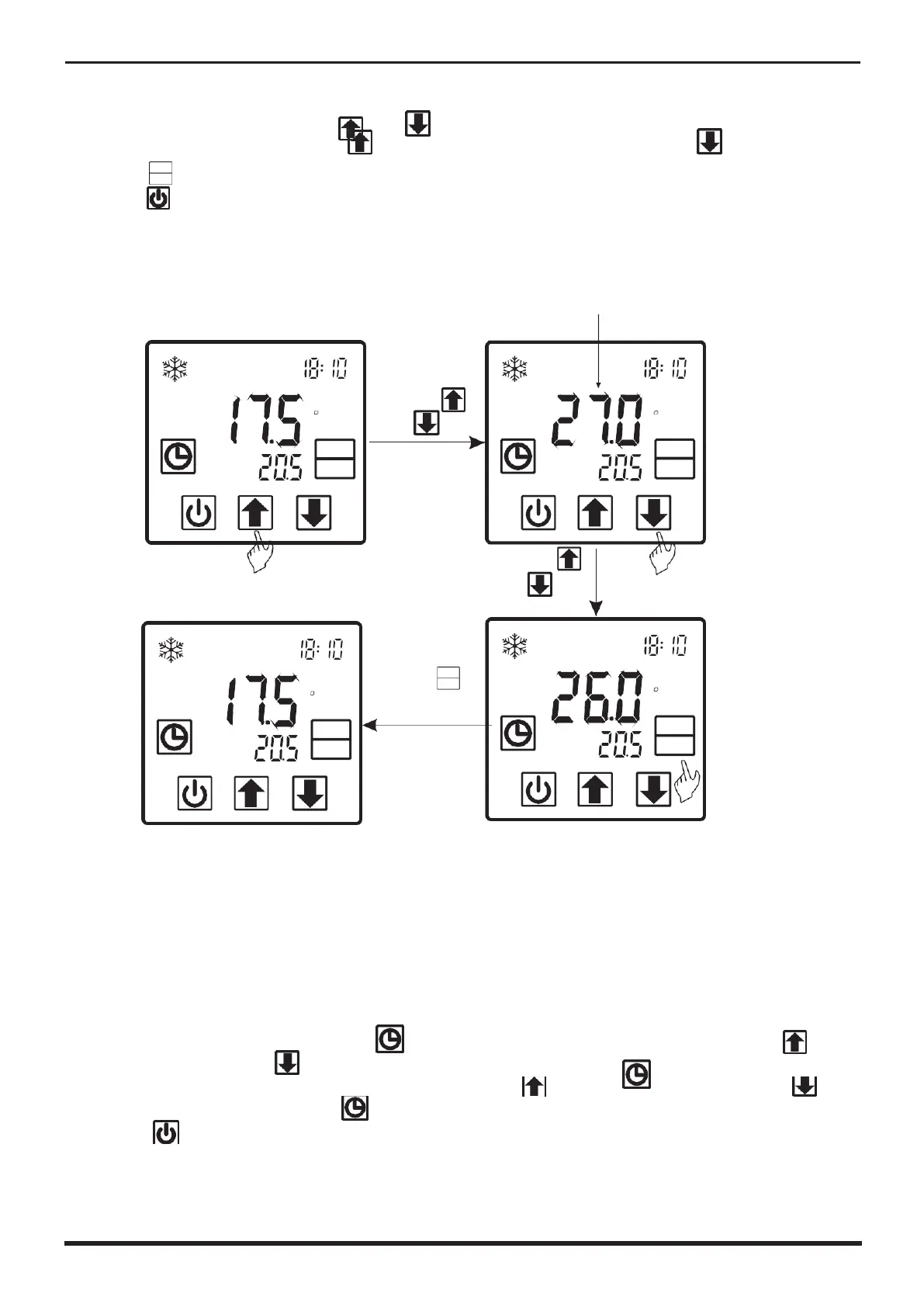
2.3 Temperature setting
In the main interface,press
“
”
or
“
”
and the current mode target-
temperature flashes, then press
“
”
to increase the temp.value, or press
“
”
to
decrease it.
Press
“
”
can save setting parameter and back to the main interface;
Press
“
”
can not save setting parameter but back to the main interface;
Attention:If there is no operation for 5s,system would remember parameter setting and
back to the main interface.
For example:
Cooling target temperature
TEMP
IN
TEMP
OUT
C
MODE
SET
Press
“
”
or
“
”
SET
TEMP
TEMP
OUT
C
MODE
SET
Press
“
”
or
“
”
to change the value
Press
“
MODE
SET
SET
C
TEMP
IN
TEMP
OUT
C
MODE
SET
to save value
setting
TEMP
TEMP
OUT
MODE
SET
2.4 Clock setting
In the main interface,press
“
”
twice,Hours start to flashing ,and press
“
to
increase value or press
“
”
to decrease value,and press
“
”
to save setting;
At the same time, minute start to flashing ,press
“
”
to increase value or press
“
”
to decrease value,and press
“
”
to save setting.
Press
“
”
can not save setting parameter and back to main interface.
Attention:If there is no operation for 5s system will remember parameter setting and back
to the main interface.
For example:



 To Next Page