10
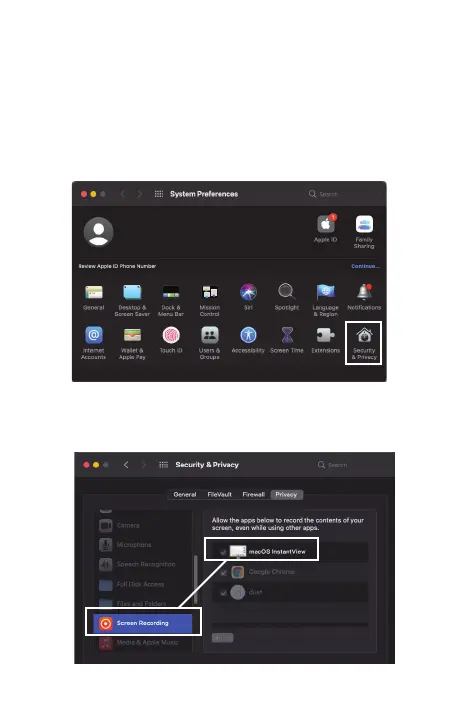
6 When you switch to Extended Mode, the application may
ask for screen recording permissions. Approving it enables
HyperDisplay to access the pixels it needs to render a
Mirrored or Extended Display and send them over USB from
your computer to the chosen Display. It does not send any
data or pixels back to Hyper. To activate this, you’ll want to
open System Preferences and locate Security & Privacy.
7
Once in Security & Privacy, you’ll need to make sure that the
“macOS InstantView” is selected under “Screen Recording.”


 To Next Page