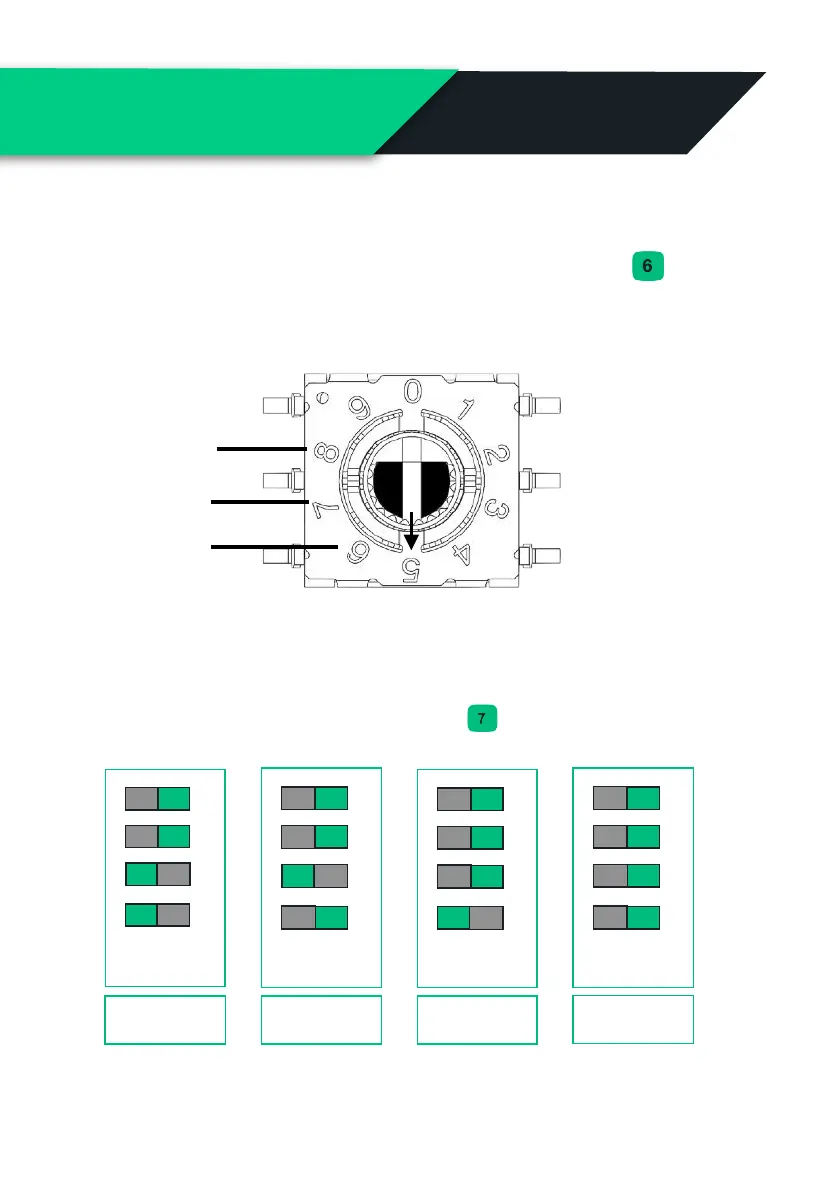
Adjust the ALM (Automated load management)
The ALM is used to provide protection to the incoming supply by
preventing charging above 6A at an upper limit set by dial ( ).
Note: The dial is small so double check you have set it correctly, The arrow in the
picture below shows where the dial is pointing, 5 in this case.
Hard setting the current limit
The hard current limit sets the maximum current the Hypervolt will
charge a vehicle at. Set the dip switches ( ) accordingly.
Note: The current limit can be soft set in the App, a hard set overrides a soft set.


 To Next Page