Document No. 480HX-HSCFX.A01
Headset Controls
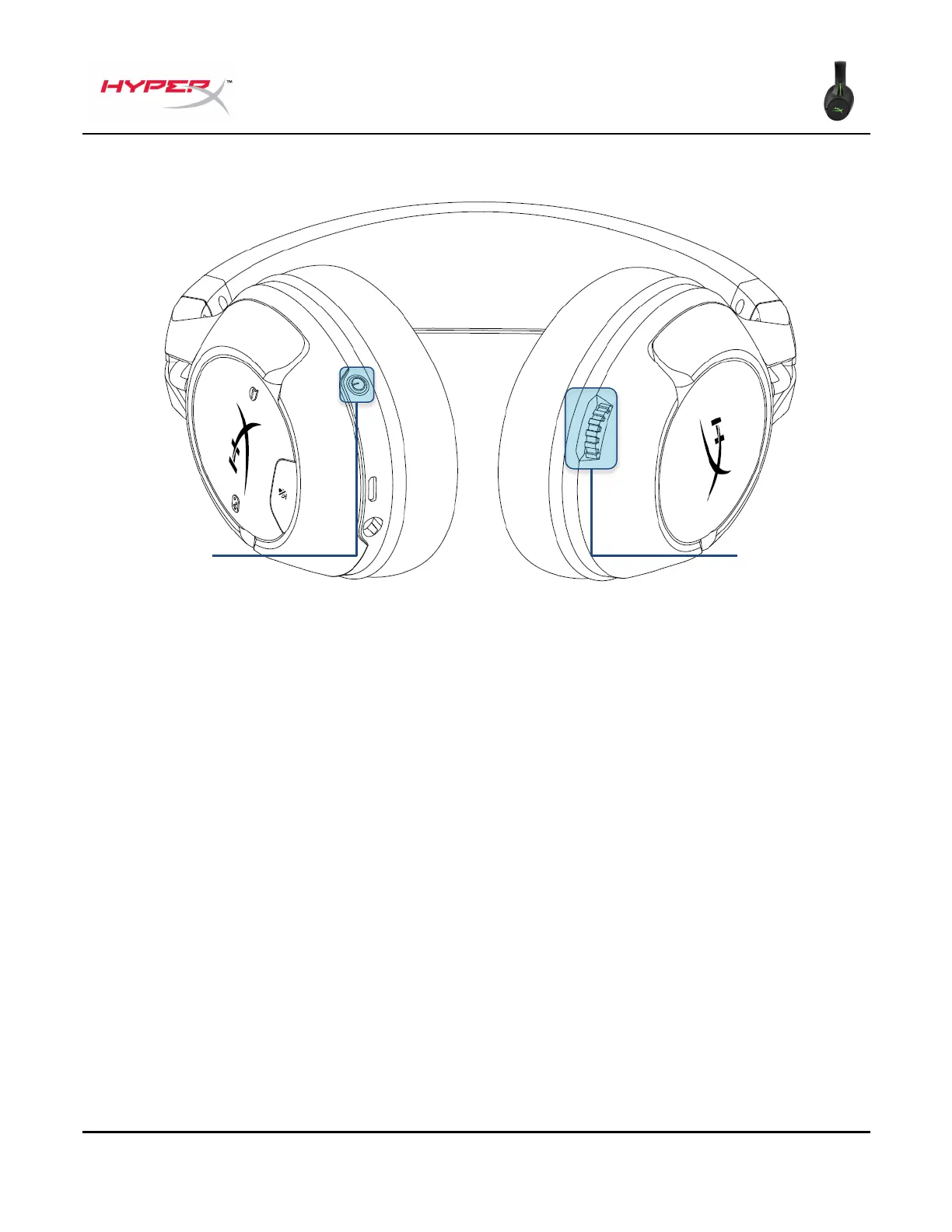
Power button
Hold the power button for 3 seconds to power on/off the headset.
With the headset powered on, short press the power button to cycle through the ear cup LED modes.
The supported LED modes are solid (default), breathing, and off.
Volume wheel
Rotate the volume wheel up or down to adjust the volume level.
Power button
Volume wheel







 To Next Page