EasyManua.ls Logo

Hytera BD612 - User Manual

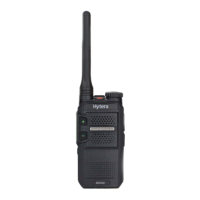
Hytera BD612
17 pages
Print Icon
To Next Page IconTo Next Page
Loading...
DIGITAL PORTABLE RADIO
OWNERS MANUAL

Questions and Answers

  • S
    Scott WeeksAug 10, 2025
    Why Hytera BD612 Portable Radio cannot be turned on?
    • C
      Charles McconnellAug 10, 2025
      Your Hytera Portable Radio might not be turning on due to several reasons: * The battery may be installed improperly. Try removing and reattaching the battery. * The battery power may have run out. Try recharging or replacing the battery. * The battery may suffer from poor contact because of dirty or damaged battery contacts. Clean the battery contacts or replace the battery.
  • J
    jeremy40Aug 16, 2025
    What to do if I can't hear clearly on my Hytera BD612 Portable Radio?
    • A
      Amy AndradeAug 17, 2025
      If you're experiencing weak, intermittent, or totally inactive voice during reception on your Hytera Portable Radio, consider these possible causes and solutions: * The battery voltage may be low. Recharge or replace the battery. * The volume level may be low. Increase the volume. * The antenna may be loose or incorrectly installed. Turn off the radio, then remove and reattach the antenna. * The speaker may be blocked. Clean the surface of the speaker.
  • H
    hbrowningAug 25, 2025
    Why can't I communicate with other group members on my Hytera BD612?
    • J
      Jessica WarrenAug 26, 2025
      If you are unable to communicate with other group members using your Hytera Portable Radio, check the following: 1. Verify your TX/RX frequency and signal strength are correct, as the frequency or signal strength may be low compared to other members. 2. Make sure you are on the correct digital or analog channel, as the channel type may be set incorrectly. 3. Move closer to other members, as you may be too far away.
  • G
    Gloria JonesSep 1, 2025
    What to do if I hear noise on the channel of my Hytera Portable Radio?
    • R
      Ralph ChambersSep 1, 2025
      If you're hearing unknown voices or noise on the channel of your Hytera Portable Radio, it could be due to: * Interference from other radios using the same frequency. Try changing the frequency or adjusting the squelch level. * The radio in analog mode may be set with no signaling. Set signaling for all radios operating at the same frequency to avoid interference.

Summary

Copyright and Legal

FCC Statement

Explains compliance with FCC rules for Class B digital devices and interference.

RF Exposure Compliance

Compliance with RF Exposure Standards

Lists standards and guidelines Hytera's portable radio complies with.

RF Exposure Compliance and Control Guidelines

Provides procedures to control exposure and ensure compliance with limits.

IC Statement

EU Regulatory Conformance

Product Overview

Before Use

Attaching the Antenna

Instructions for properly attaching the radio antenna.

Basic Operations

Troubleshooting

Care and Cleaning

Hytera BD612 Specifications

General IconGeneral
Antenna Impedance50Ω
Channel Spacing12.5kHz/25kHz
Battery2000 mAh
Battery Life (5-5-90 Duty Cycle)12 hours
Battery Life12 hours
IP RatingIP54
Water ResistanceYes

Related product manuals