EasyManua.ls Logo

Hytera BD502i - User Manual

Hytera BD502i
27 pages
Print Icon
To Next Page IconTo Next Page
Loading...
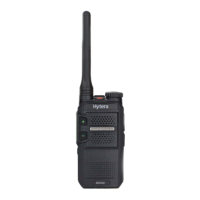
DIGITAL PORTABLE RADIO
使
OWNERS MANUAL

Questions and Answers

  • J
    Joseph JohnsonJul 29, 2025
    What to do if I cannot communicate with other group members on my Hytera Portable Radio?
    • S
      samuel50Jul 30, 2025
      If you can't communicate with other Hytera Portable Radio users, ensure your TX/RX frequency and signaling match theirs. Also, verify that all members are using the same channel type (digital or analog). Finally, you might be too far away; try moving closer to the other members.
  • D
    Dr. Jeffrey Reid PhDAug 5, 2025
    Why is the voice weak during receiving on my Hytera BD502i Portable Radio?
    • L
      lnolanAug 6, 2025
      If the voice is weak, discontinuous, or totally inactive during receiving on your Hytera Portable Radio, first, recharge or replace the battery as the battery voltage may be low. Then, increase the volume using the Volume Control Knob. Also, ensure the antenna is securely attached by removing and reattaching it. Finally, check if the speaker is blocked and clean the surface of the speaker if needed.
  • C
    Cory KentAug 12, 2025
    What to do if I hear noise on my Hytera Portable Radio?
    • G
      Geoffrey RamirezAug 12, 2025
      If you hear irrelevant voices or noise on the channel of your Hytera Portable Radio, it might be due to other radios using the same frequency. Try changing the frequency or adjusting the squelch level. If in analog mode, ensure signaling is set for all radios to avoid interference. Moving closer to other members or relocating to an open area and restarting the radio may also help.
  • K
    Kenneth PetersonAug 21, 2025
    How to fix a Hytera Portable Radio that cannot be turned on?
    • D
      Debbie AlexanderAug 21, 2025
      If your Hytera Portable Radio won't turn on, start by removing and reattaching the battery to ensure it's properly installed. If that doesn't work, recharge or replace the battery, as it may be out of power. Also, inspect the battery contacts for dirt or damage; clean the contacts or replace the battery if necessary.

Summary

FCC Statement

Compliance with RF Exposure Standards

RF Exposure Compliance and Control Guidelines

IC Statement

EU Regulatory Conformance

Charging the Battery

Basic Operations

Call Services

Call on Digital Channel

Explains initiating and responding to group and private calls on digital channels.

Troubleshooting

Hytera BD502i Specifications

General IconGeneral
Channel Capacity256
Zone Capacity16
Channel Spacing12.5/20/25 kHz
Operating Voltage7.4 V
Ingress ProtectionIP54
Frequency Range400-470 MHz
BatteryLi-ion 2000 mAh
Battery Life (5-5-90 Duty Cycle)Up to 12 hours
DisplayLCD
Digital ProtocolDMR
Operating Temperature-30°C to +60°C
Storage Temperature-40°C to +85°C
HumidityUp to 95%
Shock & VibrationMIL-STD-810G
Output PowerUHF: 4W

Related product manuals