EasyManua.ls Logo

Hytera RD986 - User Manual

Hytera RD986
27 pages
Print Icon
To Next Page IconTo Next Page
Loading...
OWNERS MANUAL
Z04313 H05658
8 1 1 RD9 8 0 0 1 7 0 0
2015
Hytera Communications Corporation Limited.
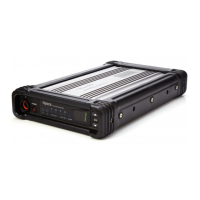
DIGITAL REPEATER
9108
2015
使

Other manuals for Hytera RD986

Questions and Answers

  • E
    eric87Aug 9, 2025
    Why my Hytera RD986 group members cannot talk to each other?
    • D
      Deborah BowersAug 9, 2025
      There are several reasons why group members might not be able to communicate using the Hytera Repeater. It could be that the TX/RX frequency of the repeater is inconsistent with that of the portable/mobile terminals; in this case, re-set the frequencies. Alternatively, a strong interference signal may be preventing the repeater from repeating a useful signal; if you cannot remove or bypass the interference, change to operate at other frequencies. Finally, the group member may be out of the coverage area of the repeater; move within the coverage area.
  • A
    Anthony HigginsAug 16, 2025
    How to fix short communication range or poor audio on Hytera Repeater?
    • K
      Kevin VillanuevaAug 17, 2025
      If you are experiencing short communication range or poor audio quality with your Hytera Repeater, it could be due to several factors. There might be leakage of signal energy due to a damaged connection cable; if necessary, replace the cable. Check for a loose or lost connection between the antenna connector and the cable; secure or replace the cable. Invisible damage to the cable can also cause this issue, so replacing the cable is advisable. If a duplexer is mounted, it may not be properly set; in this case, contact the manufacturer or your dealer to re-set the duplexer.
  • J
    Julia RyanAug 25, 2025
    What to do if Hytera Repeater cannot be powered on?
    • M
      matthew64Aug 26, 2025
      If your Hytera Repeater is not powering on, the power cord may not be properly or securely connected to the outlet; properly connect the power cord and ensure a secure connection. Another possibility is that the power cord fuse is damaged; check if the fuse has blown, and if so, replace it with a new one.
  • N
    Nicole BarnesAug 31, 2025
    What to do if group members cannot talk to each other on Hytera RD986?
    • W
      whiteheadstacyAug 31, 2025
      If group members cannot communicate with each other on the Hytera Repeater, even with RX indication, the issue might stem from an inconsistent ID with other group members; set your ID to match the others. Another potential cause is inconsistent CTCSS/CDCSS settings; re-set the CTCSS/CDCSS.

Summary

RF Radiation Information

RF Radiation Safety

Outlines standards and guidelines for safe exposure to RF radiation.

FCC Regulations

Details FCC requirements for radio communication products and RF labeling.

Operational Instructions and Training Guidelines

Product Overview

Installation Guide

Installation Requirements

Specifies environmental and location requirements for repeater installation.

Installation Steps

Provides a detailed step-by-step procedure for installing the repeater.

Basic Operations

Menu Navigation

Alarm Information

Over Temperature Alarm

Describes what to do when the repeater's temperature exceeds limits.

Fan Failure Alarm

Explains actions to take if the cooling fan fails.

VSWR Alarm

Details actions for VSWR issues that could damage the transmitter.

Low Forward Power Alarm

Troubleshooting steps for when the forward power output is too low.

Over;Low Voltage Alarm

Actions to take when the power supply voltage is outside the normal range.

TX;RX Unlock Alarm

Describes alarms related to TX/RX PLL lock status and how to resolve them.

Troubleshooting

Repeater Cannot Be Powered On

Addresses issues and solutions when the repeater fails to power on.

Hytera RD986 Specifications

General IconGeneral
Operating Temperature-30°C to +60°C
Channel Spacing12.5KHz / 25KHz
Frequency RangeUHF: 400-470MHz; VHF: 136-174MHz
Power Output50W
Dimensions88 x 483 x 366 mm
Power SupplyAC 100-240V, DC 13.6V
Digital ProtocolDMR
Modulation4FSK

Related product manuals