5-8
Convenient features
Locking
OBC3050001
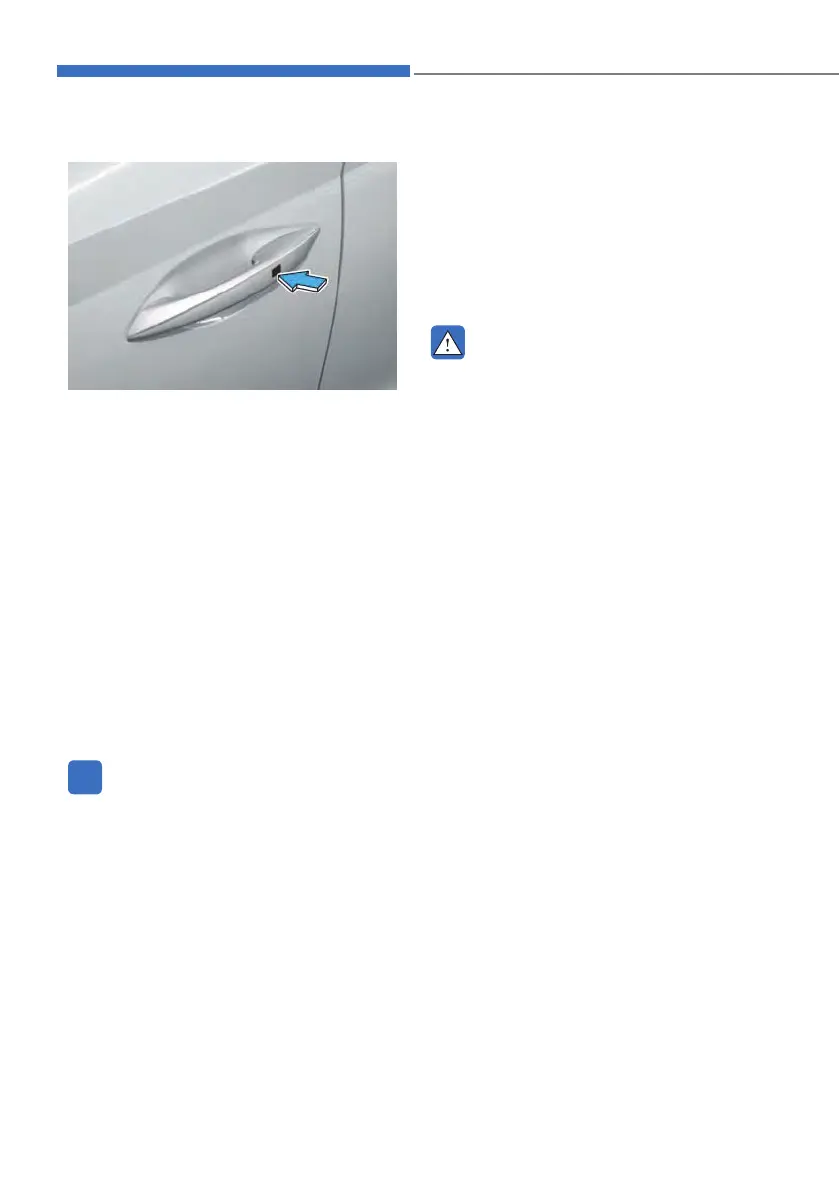
To lock :
1. Close all doors, engine hood and
tailgate.
2. Carry the smart key.
3. Either press the door handle button
or press the Door Lock button on the
smart key.
4. The hazard warning lights will blink.
Also, the outside rearview mirror
will fold, if ‘Convenience Ɵ Welcome
mirror Ɵ On door unlock’ is selected
from the User Settings mode on the
LCD display. For more details, refer to
“LCD Display” in chapter 4.
5. Make sure the doors are locked by
pulling the door outside handle.
i
Information
The door handle button will only operate
when the smart key is within 0.7 ~
1 m (28 ~ 40 in.) from the outside door
handle.
Even though you press the outside
door handle button, the doors will not
lock and the chime will sound for three
seconds if any of the following occur:
• The Smart Key is in the vehicle.
• The Engine Start/Stop button is in ACC
or ON position.
• Any door except the tailgate is open.
WARNING
Do not leave the Smart Key in your
vehicle with unsupervised children.
Unattended children could press the
Engine Start/Stop button and may
operate power windows or other
controls, or even make the vehicle
move, which could result in serious
injury or death.



 To Next Page