INFOTAINMENT
Quick Reference Guide I 2625 I Quick Reference Guide
KONA
HYUNDAI
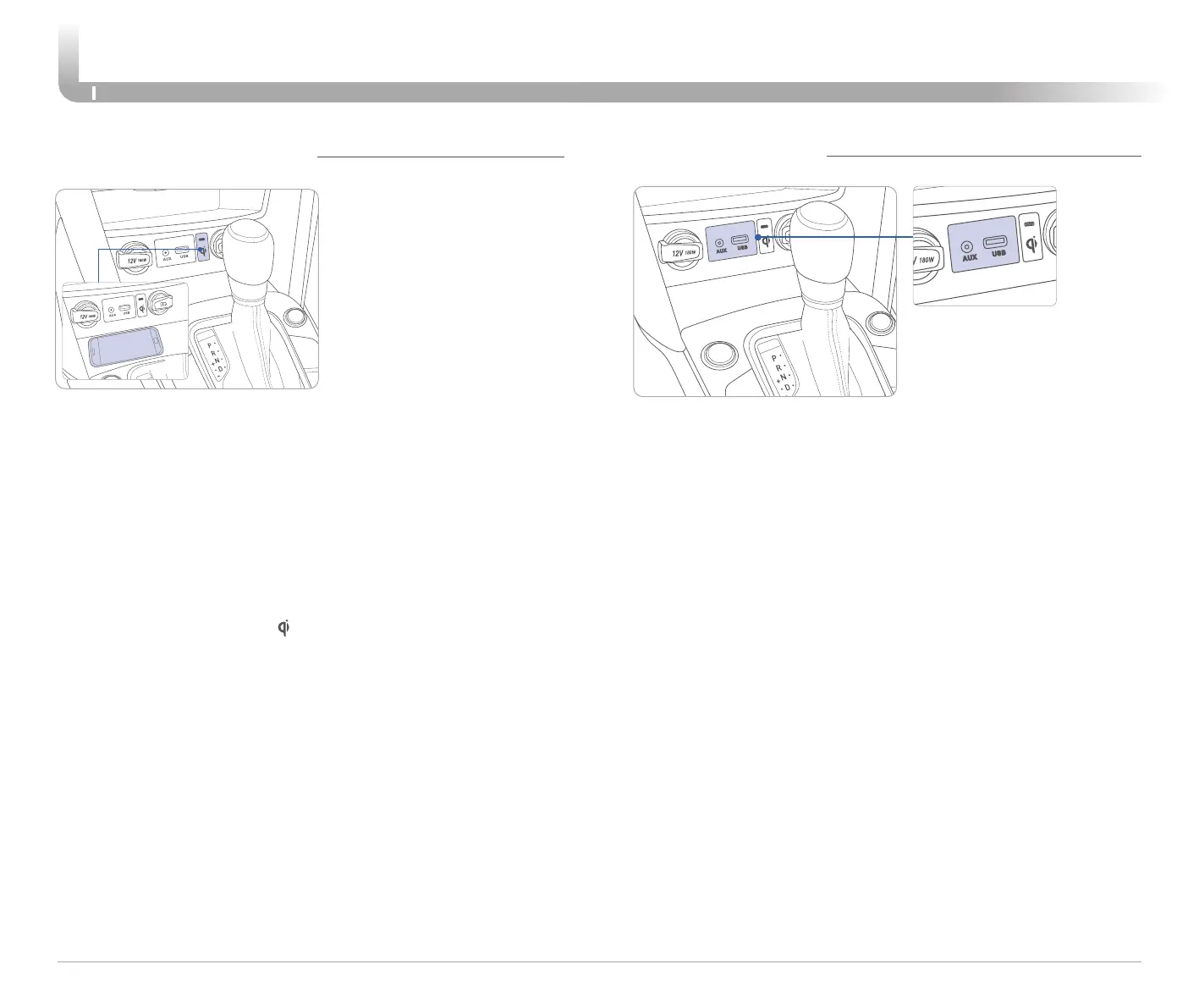
AUX AND USB PORT
Use the Aux input jack to connect an external audio device.
Use the media USB port to connect a USB device with music files or
to access features on your smartphone using Apple CarPlay or
Android Auto phone projection.
Use the charging USB port to charge an external device such as a
cell phone
WIRELESS CHARGING PAD
NOTE:
The wireless cellular phone charging system supports only the
Qi-enabled cellular phones ( ).
NOTE: Do not place any metallic items such as coins, keys on the
charger. Avoid putting credit cards, etc. on the charger as they
might get damaged by the magnetic field.
Your vehicle may be
equipped with a wireless
charging pad located inside
the front console. Wireless
charging is supported on
some cellular devices. The
charging indicator will
illuminate when the
device is placed on the
charging pad, all the doors
are closed, and the ignition is
in the ON position or the
engine is running. You may
need to remove the case
from your device in order to
charge. The indicator is
orange when the device is
charging. The indicator will
turn green when charging is
complete.










 To Next Page