4
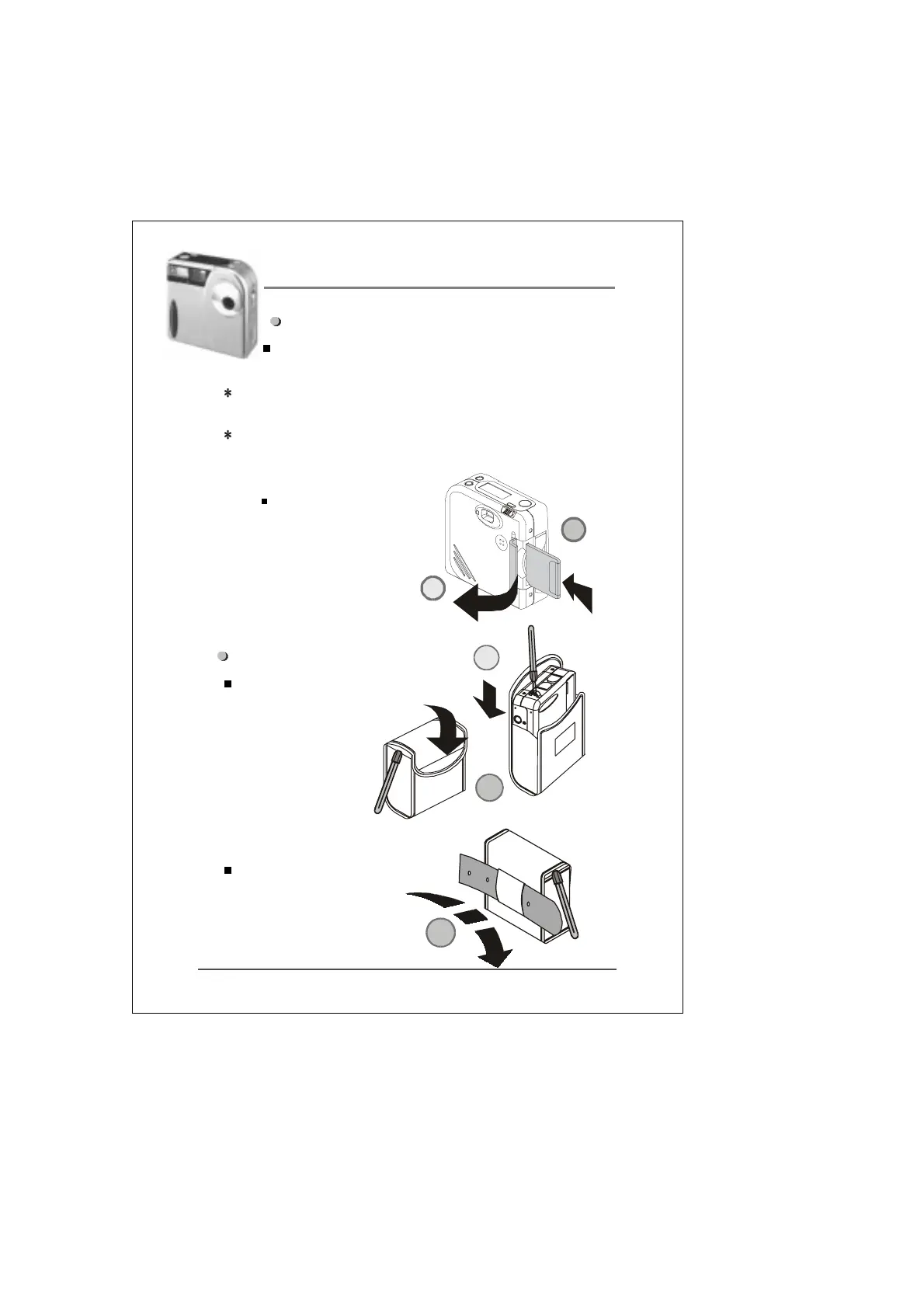
Memory card installation:
Insert the memory card as shown on the image
below.
Note:The camera will not function if the memory card is not
inserted into the camera’s memory compartment.
Note: Any new memory card used for the first time needs to
be formatted (please see P.13 for formatting procedures).
Note: Be sure to turn the power off
when you want to replace the
memory card to avoid causing
damage to the card.
Setting the pouch:
Use the provided pouch to protect
the camera when not in
use.See diagram below.
Purse function as shown in
figure 3
2
1
1
2
3


 To Next Page