6
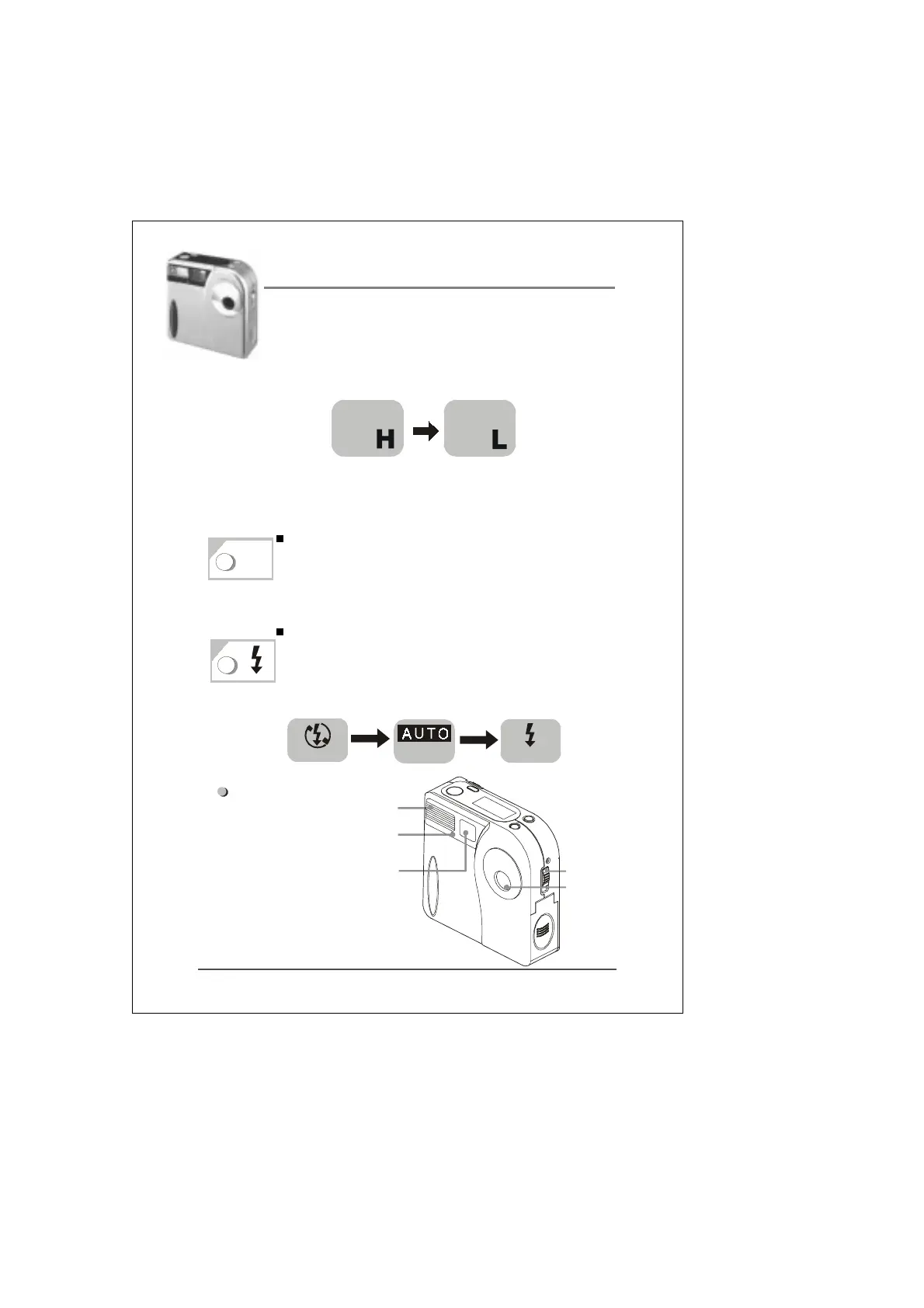
High/Low resolution mode: Press the mode
button for 3 seconds to switch from High to Low
resolution mode.
Note: ” H ” refer to 1280x960 pixels resolution
” L ” refer to 1024x768 pixels resolution
The Delete button allows you to delete a single
image or all images stored on the camera
(refer to P.10 for additional information).
The flash can be set to any of the following 3
modes: Flash Off (Default), Auto (Auto Flash),
and Fill-In Flash (Flash On).
Front of camera:
3
Auto flash
Fill-in flash
Flash off
1
2
3
Flash
Viewfinder
Lens
MACRO
Switch
Self-Timer
Lamp (Red)
2
DEL
1
2


 To Next Page