i-Stor LAN User Guide
Page 7 / Chapter 2 - System Setup
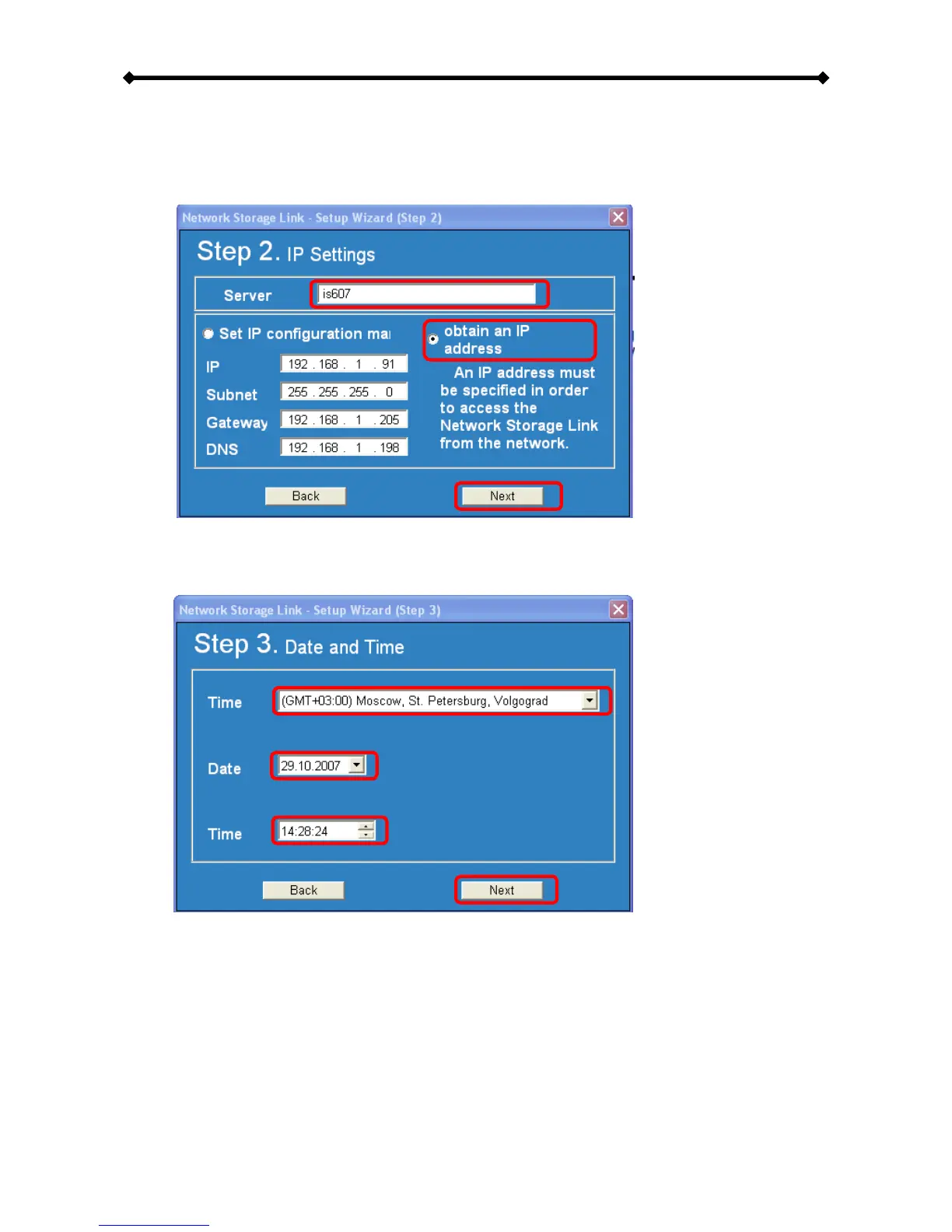
6. In step 2, you can define the name for your device and set up the IP configuration.
We recommend using the “Automatically obtain an IP address (DHCP)”. When set,
press Next to continue.
7. In step 3, you can set up the date and time. Select your time zone from the drop
down menu, set the date, the time and then press Next to continue.


 To Next Page