i-Stor LAN User Guide
Chapter 5 - Network Storage / Page 32
Windows Explorer
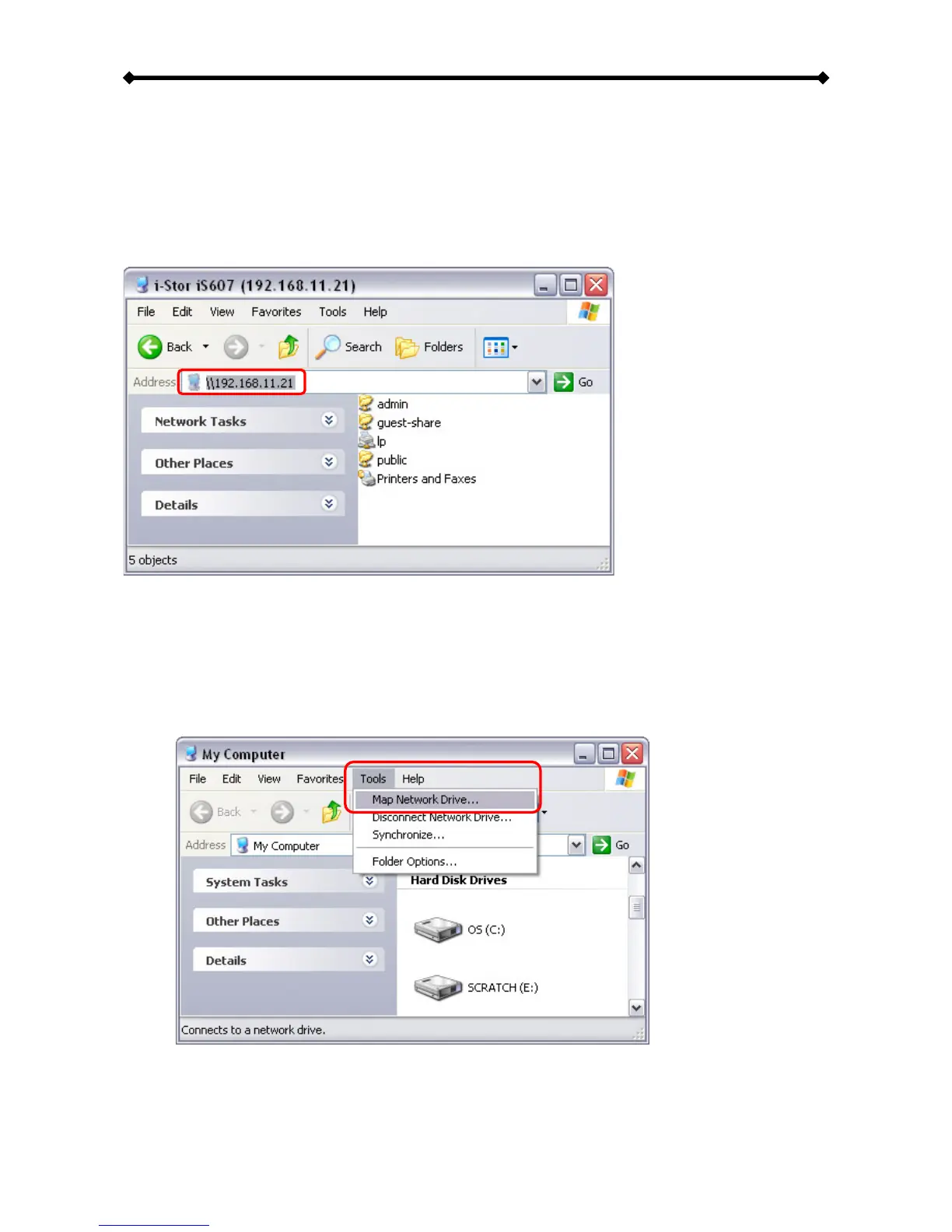
Use Windows Explorer and type \\ followed by the IP address of your i-Stor LAN. It will list
all available folders and shares on your i-Stor LAN, which you can then access directly.
You can copy files to the network storage as if it were a folder on your local drive.
Depending on the bandwidth, you can also directly play and open the files, although we
recommend transferring the data to your local drive first.
Mapping a Network Drive
For easy access, we recommend mapping the storage as network drive.
1. Double click on My Computer, go to the Tools menu and select “Map Network
Drive…”.


 To Next Page