i-Stor LAN User Guide
Chapter 5 - Network Storage / Page 34
File Access on a Mac
SMB
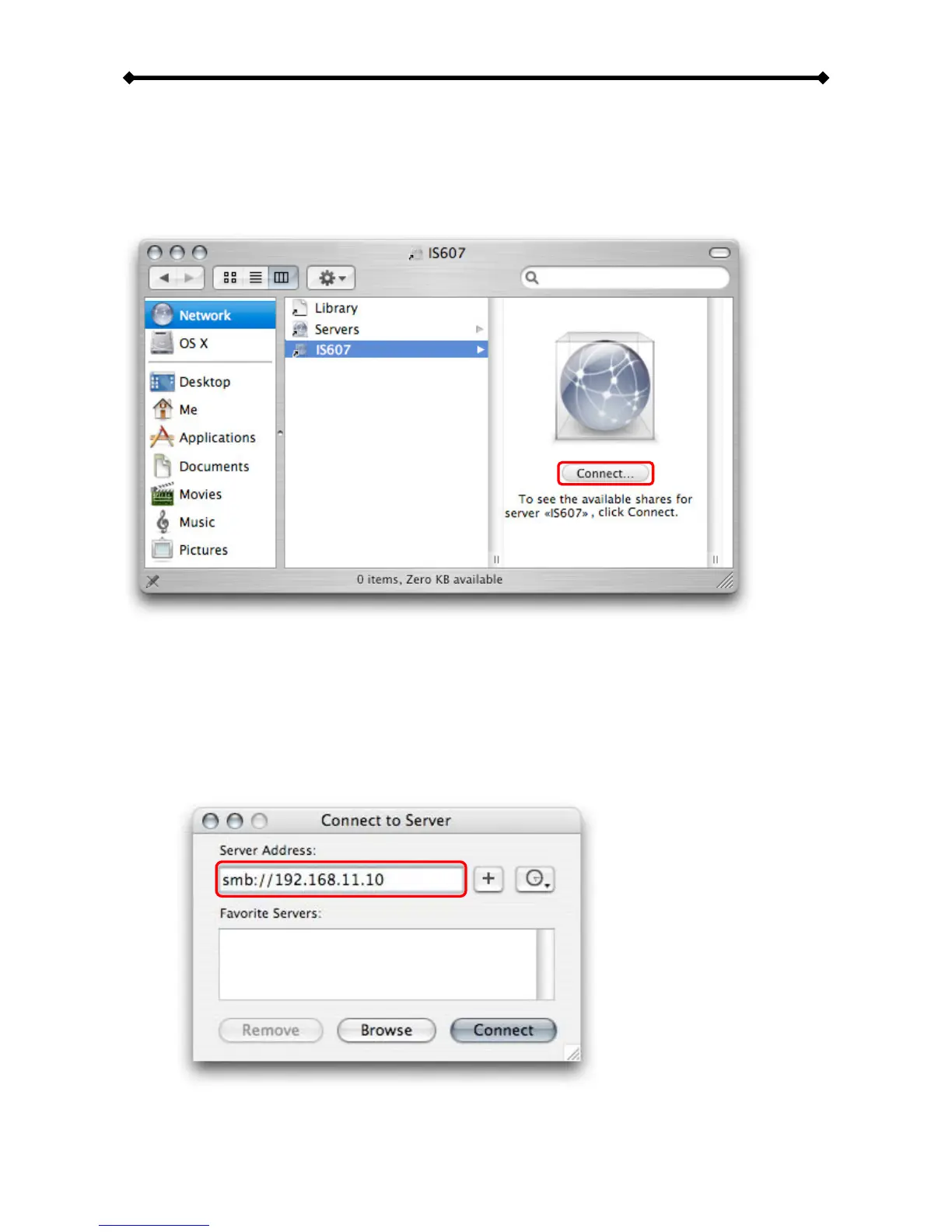
To mount and access the network storage, open your Finder, click on “Go” and choose
“Network”. Browse for your network storage and click on it to access the folder.
Alternatively, you can use the “Connect to Server” command.
1. Click on “Go” and choose “Connect to Server”.
2. Type smb:// followed by the IP address of your i-Stor LAN or click on the Browse
button to locate the folder on your network. Click on the Connect button once the
server address has been filled out.


 To Next Page