i-Stor LAN User Guide
Page 13 / Chapter 3 - Web Configuration
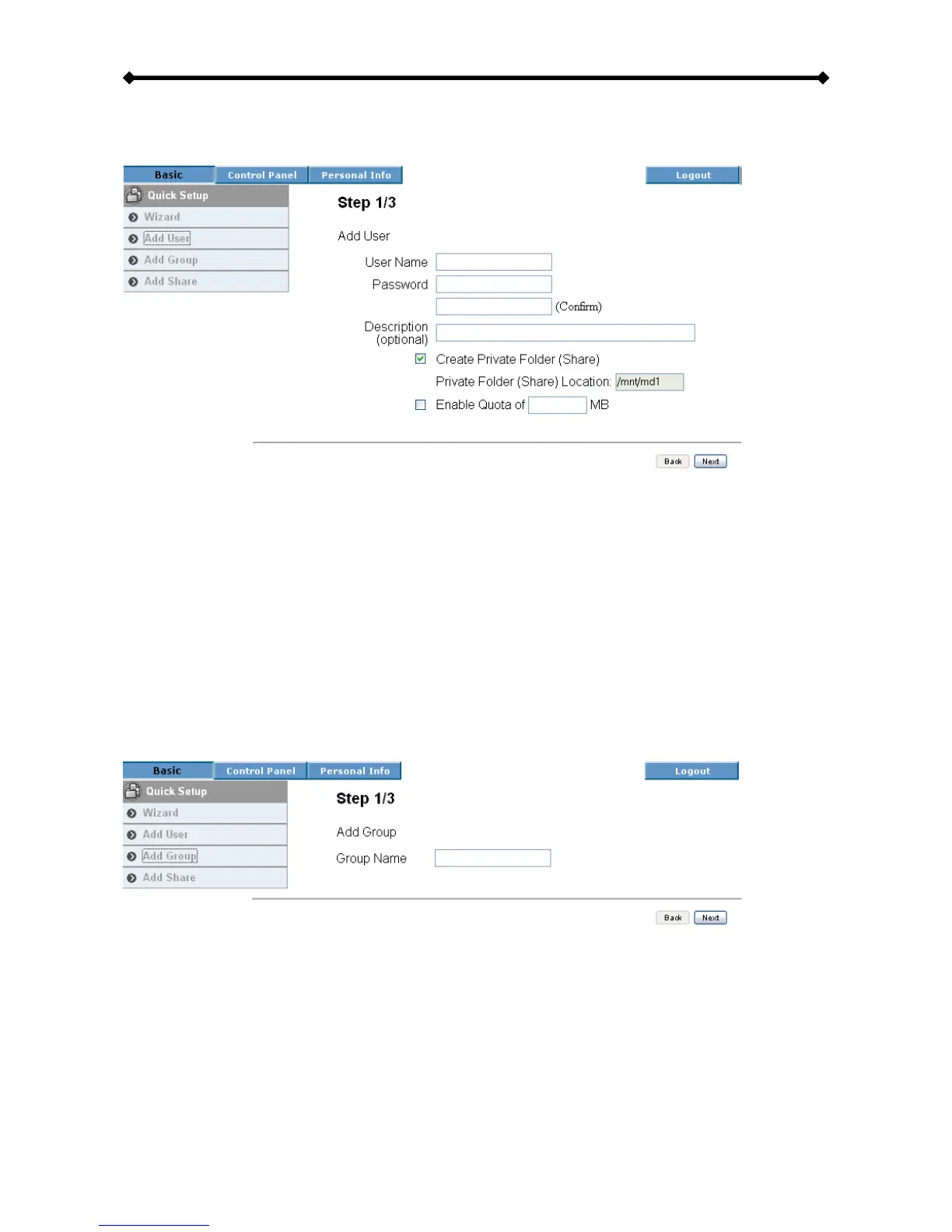
Add User
Use this setup wizard to quickly add and configure a new user account.
• Step 1: Enter the user name and password for the new account. At the same time, you
can also create a private folder for that user and set the quota limit.
• Step 2: If there are other users already set up, they can be added to the user account
management.
• Step 3: In the last step you can configure the permissions to the shared folder and add
or remove other users.
Add Group
Use this setup wizard to quickly add a new group.
• Step 1: Enter the group name.
• Step 2: Configure which members will be included in this group by adding and
removing the members from the list.
• Step 3: Configure the share permissions by adding (read only or writable) and removing
the shares from the list.


 To Next Page