i-Stor LAN User Guide
Page 39 / Chapter 6 - Additional Features
3. On your PC, go to Start and select “Printers and Faxes”
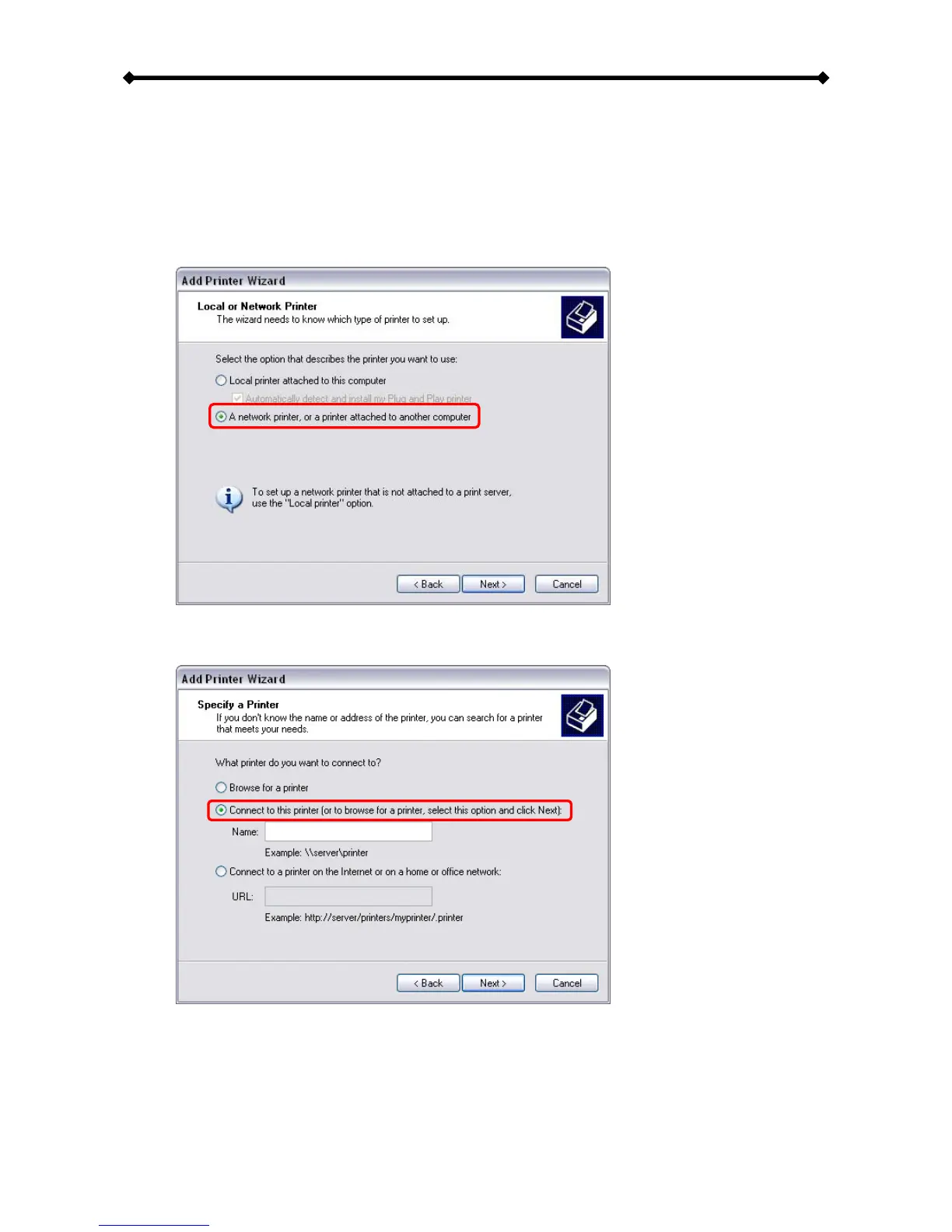
4. Go to File and select “Add Printer” to bring up the printer setup wizard.
5. Click on Next to start the wizard, then select “A network printer…” and hit Next once
more.
6. Select “Connect to this printer…” and hit Next.


 To Next Page