14
|
i-tec USB-C Dual DP Display Dock with PD 100 W
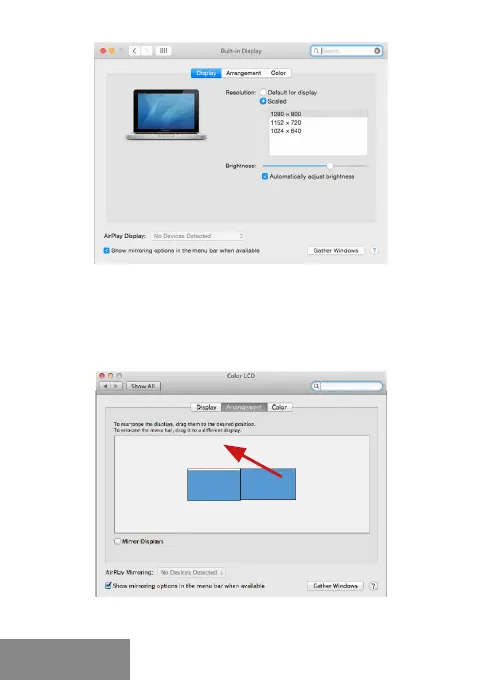
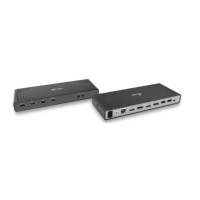
Click on Arrangement and in the default mode (Extended desktop)
click on the new monitor and drag it as necessary vis-à-vis the Mac
monitor. If you select Mirror displays the mode will change to Mirror (the
resolution of the monitors will be automatically adjusted according to
their parameters and the highest possible resolution will be set on both
monitors). By cancelling the Mirror displays option you will return to the
Extended desktop mode.
Extended mode: The arrow indicates the possible
position of the connected monitor vis-à-vis the Mac monitor.
ENGLISH


 To Next Page