Quick Starti-tec USB-C Dual DP Display Dock with PD 100 W
|
15
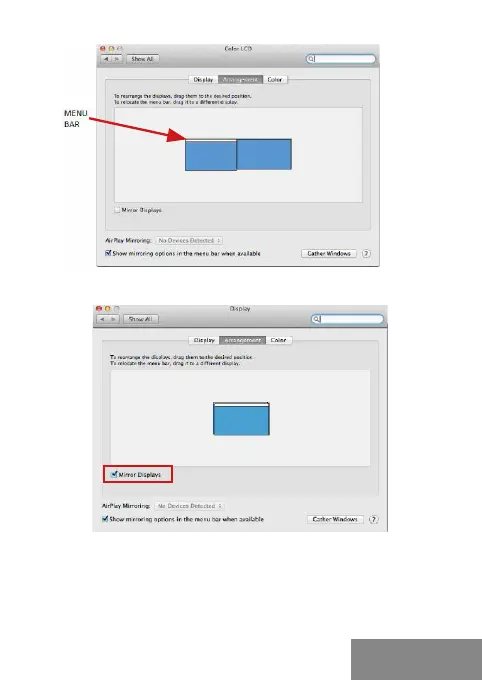
Extended mode: In this mode you can choose
the Main monitor by dragging the Menu Bar.
Mirror mode: This mode can only be used if supported by the Mac.
Click on Gather Windows: using this option you can choose the settings
of the corresponding monitor – Scaled (offers available resolutions),
Rotation (Standard, 90°, 180° and 270°) and Refresh rate (if offered).
Below the following setting options are displayed. This may vary,
depending on your monitor.
ENGLISH


 To Next Page