Quick Starti-tec USB-C Dual DP Display Dock with PD 100 W
|
7
DP 1.4 HBR3:
1 monitor – up to 4K/60 Hz
2 monitors – up to 2x 1440p/60 Hz
*
DP 1.4 HBR3 DSC:
1 monitor – up to 5K/60 Hz
2 monitors – up to 2x 4K/60 Hz
*
• 1x USB-C Gen. 2 port (data only)
• 1x USB-C Gen. 2 + PD port (data + power delivery)
• 3x USB 3.0 port with support for quick charging (BC 1.2)
• 2x USB 2.0 port
• 1x Ethernet GLAN RJ-45 port (Realtek RTL8153)
• 1x 3.5 mm Combo Audio port
• LED indication
• ON/OFF switch for the docking station
• Kensington lock support
• Support for VESA mounting
• OS: Windows 10, macOS
*
, Android, Chrome OS and Linux with the latest updates
• Product dimensions: 113 x 113 x 40 mm
*
macOS does not support Multi Stream Transport (MST) technology.
Connecting two monitors to the station on macOS will result in both monitors
showing the same image.
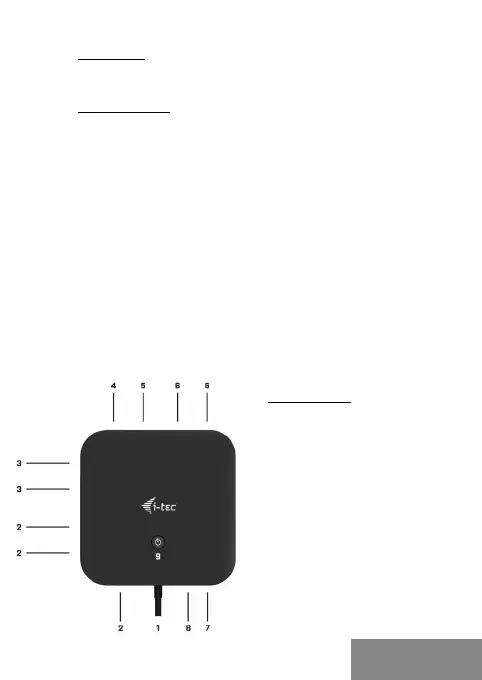
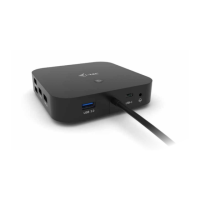
DESCRIPTION
1.
Integrated USB-C cable
for connection to a device
(100 cm)
2.
3x USB 3.0 port (5Gb/s)
3.
2x USB 2.0 port
4.
USB-C Gen. 2 + PD port
(data + power delivery)
5.
Ethernet GLAN RJ-45 port
- supports 10/100/1000 Mb/s
6.
2x DisplayPort
7.
3.5 mm Combo Audio Jack
8.
USB-C Gen. 2 port (data only)
9.
ON/OFF switch for the
docking station – button
must be held down for two
seconds
ENGLISH
ENGLISH


 To Next Page